
There has never been a better time to watch movies online. The old model of sitting through cable contracts, rigid schedules, and overpriced bundles has been quietly dying for years — and Internet Protocol Television (IPTV) has stepped in to take its place. By routing television content through existing broadband and fiber-optic infrastructure rather than satellite signals or coaxial cables, IPTV puts the viewer firmly back in control. You choose what to watch, when to watch it, and on which screen you want to enjoy it.
In 2026, the IPTV ecosystem has matured considerably. The players are slicker, the playlists are richer, and the underlying protocols are faster and more resilient than anything available just a few years ago. Yet for every household that successfully cuts the cord and streams seamlessly, another struggles with buffering, confusing setup steps, or the nagging worry that their iptv subscription might not be entirely above board. This guide resolves all of that. From picking the right software to locking down your network security, every critical step is covered in plain language — no engineering degree required.
Whether you are a complete beginner who simply wants to watch movies online without paying a fortune, or a tech-savvy enthusiast looking to squeeze every last megabit from your connection, this resource has something for you. By the time you reach the final section, you will have everything you need — the right player, the right playlist, and the right network settings — to build a genuinely world-class home streaming setup.
Table of Contents
How IPTV Actually Works in 2026
At its most basic, IPTV is the delivery of video content over an IP-based network rather than a traditional broadcast medium. When you decide to watch movies online through an IPTV service, your device sends a request across your broadband connection, a server somewhere in the world responds with a continuous stream of compressed video data, and your media player decodes and renders that data in real time. The whole chain happens in milliseconds when everything is configured correctly.
The core delivery technique that makes large-scale IPTV viable is called multicast. Rather than sending a separate stream to every individual viewer — which would be catastrophically bandwidth-intensive — multicast sends a single stream that multiple devices can tap into simultaneously. This is particularly efficient for live channels where thousands of people are watching the same content at the same time. For on-demand content, providers use a unicast model instead, where a unique stream is delivered directly to each viewer.
The four main IPTV service types you will encounter are:
- Video on Demand (VOD): A library-style model that lets you watch movies online whenever you like. Content is stored on the provider’s servers and streamed to you on request, much like Netflix or Amazon Prime Video.
- Near Video on Demand (NVOD): A staggered broadcast model where the same film or programme starts at fixed intervals — for example, every fifteen minutes — giving you more flexibility over when you tune in without requiring a fully on-demand infrastructure.
- Live TV: Real-time channels streamed directly over IP, covering everything from local news to international sports. If you want to know how to watch Premier League on IPTV UK, live TV streams are exactly what you will be using.
- Time-Shifted TV: The ability to pause, rewind, and replay live broadcasts. This is one of the features that users most frequently cite when explaining why they switched from traditional pay-TV to an iptv subscription.
For most households, a quality iptv subscription pulls all four of these service types together into a single app, a single monthly bill, and a single remote control. That consolidation alone represents a significant quality-of-life improvement over juggling five or six separate streaming services.
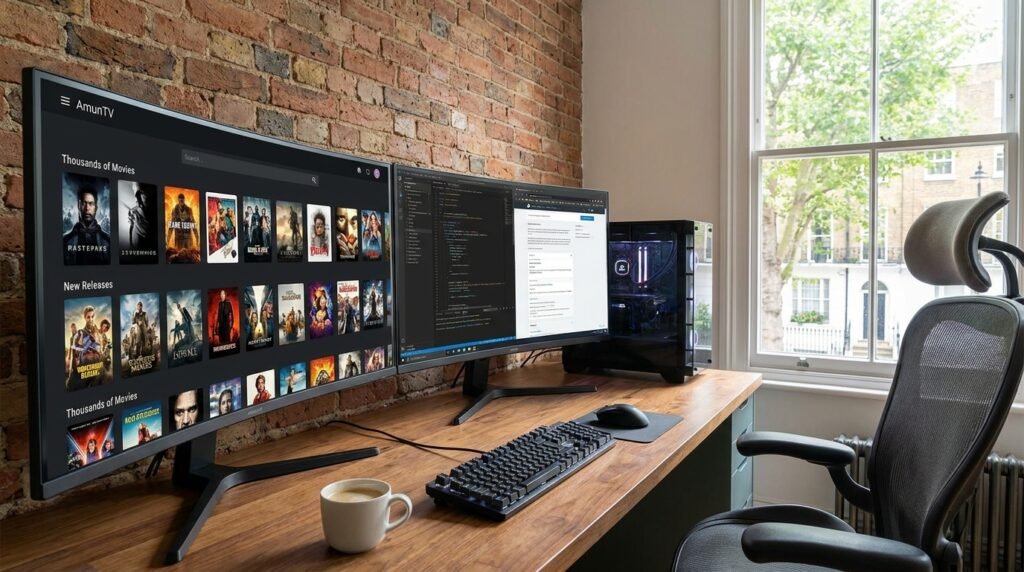
The Best IPTV Players for Windows PC in 2026
Choosing the right media player is genuinely important. The wrong software can introduce unnecessary buffering, refuse to render certain codecs, or present such a cluttered interface that the whole experience becomes a chore. The following eight players represent the current best options for users who primarily watch movies online on a Windows PC. Each one has been evaluated on codec support, ease of playlist integration, and real-world performance under load.
1. AmunTV
Widely regarded as the premium tier option for Windows 11, AmunTV ships with access to over 34,000 live channels and more than 150,000 VOD titles baked directly into its interface. The library alone makes it an outstanding starting point if you want to watch movies online without hunting for external playlists. The interface is clean, load times are fast, and the built-in content discovery tools are genuinely useful rather than decorative.
2. OTTOcean
OTTOcean is the standout choice for multi-device households. It supports adaptive bitrate streaming up to 4K resolution, meaning the picture quality adjusts dynamically to your available bandwidth rather than locking you into a fixed stream that either buffers or looks poor. For families sharing a single iptv subscription across multiple televisions, tablets, and laptops, OTTOcean’s simultaneous stream management is genuinely impressive.
3. Megacubo
Megacubo occupies an interesting niche as a completely free and open-source player. Its “Community Mode” allows users to share and discover playlists collaboratively, which means the content library grows organically over time. The built-in ad blocker and viewing statistics dashboard are thoughtful additions that elevate it well above the average freeware player. If you are not ready to commit to a paid iptv subscription just yet, Megacubo is an excellent entry point.
4. PowerDVD
For users who genuinely care about picture fidelity, PowerDVD remains the benchmark. It supports both 4K and 8K streaming, integrates Dolby Atmos and DTS:X audio passthrough, and employs TrueTheater AI upscaling to bring lower-resolution content closer to HD quality. If you regularly watch movies online in a dedicated home cinema setup connected to a high-end display, PowerDVD is worth every penny of its licence fee.
5. VLC for Windows
VLC is the Swiss Army knife of media players and has been for two decades. It handles virtually every video codec in existence — MPEG, DivX, AV1, HEVC, you name it — and its native M3U and M3U8 playlist support makes it trivially easy to load an iptv subscription feed and start streaming within seconds. It is free, open-source, and updated regularly. For sheer versatility, nothing else in this list comes close.
6. Kodi
Kodi is less a media player and more a complete home entertainment operating system. Its add-on ecosystem is vast, and with the right plugins installed, it can present your entire iptv subscription library through a broadcast-style electronic programme guide (EPG) that looks indistinguishable from a premium cable interface. The learning curve is steeper than the other options listed here, but the payoff in customisability is enormous. If you want to watch movies online and live TV through a single unified interface you have designed yourself, Kodi is the platform.
7. Plex
Plex shines brightest for users with large collections of locally stored media. It automatically scrapes metadata — posters, synopses, ratings, cast information — from databases like The Movie Database and presents everything in a polished, streaming-service-quality interface. Pair it with a quality iptv subscription using the DVR and live TV features in Plex Pass, and you have a genuinely compelling all-in-one solution.
8. PotPlayer
PotPlayer is the choice of the technically minded user who wants granular control over every aspect of playback. Hardware-accelerated decoding via CUDA and Intel QuickSync means it runs well even on older systems, while its 3D movie support and advanced audio configuration options make it a hidden gem for enthusiasts who like to get deep into settings. It is particularly useful if you watch movies online on a machine that struggles with high-resolution streams in other players.
Free and Verified M3U Playlist URLs for 2026
One of the most underappreciated aspects of IPTV is the availability of completely free, entirely legal content playlists. Several major technology and broadcasting companies publish open M3U feeds that you can drop into any compatible player and start watching immediately — no credit card, no account, no iptv subscription required. The trade-off is that free playlists tend to carry advertising and offer a smaller channel selection than paid services, but for casual users or those testing the waters, they are an excellent starting point.
The most reliable free sources in 2026 include:
- Samsung TV Plus: A broad selection of channels across news, entertainment, and sports. Access via https://apsattv.com/ssungusa.m3u.
- Pluto TV: One of the most polished free streaming platforms available. The full channel list in M3U format is available at https://i.mjh.nz/PlutoTV/all.m3u8.
- LG Channels: LG’s own free channel platform, available at https://www.apsattv.com/lg.m3u.
- The Roku Channel: Roku’s ad-supported streaming library, available at https://www.apsattv.com/rok.m3u.
- IPTV-org Movies Playlist: The community-maintained IPTV-org project categorises free streams by genre. Their movies-only playlist lives at https://iptv-org.github.io/iptv/categories/movies.m3u and is updated frequently.
For users who want a curated selection of premium channels beyond what free playlists offer, the best iptv providers guide covers the paid services that consistently deliver the broadest channel lists and the most reliable uptimes in 2026. And for UK residents specifically, the Best IPTV UK guide breaks down region-specific options with Freeview integration and UK-focused sports packages.
Step-by-Step Setup on Firestick and Android TV
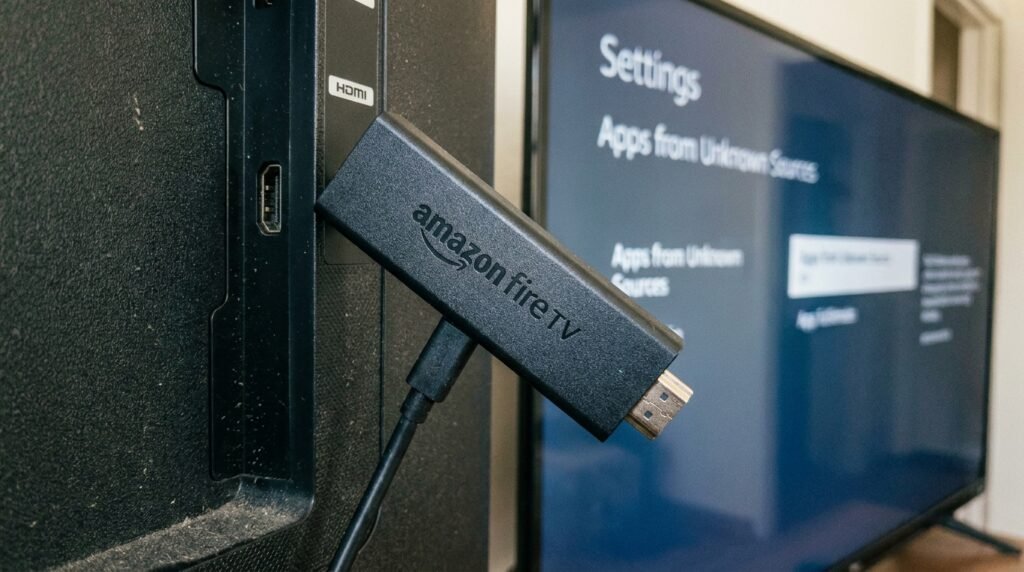
The Amazon Firestick remains the single most popular piece of IPTV hardware on the market in 2026. It is inexpensive, widely available, and with a few minutes of configuration, it becomes an exceptionally capable streaming device. For a detailed walkthrough, refer to our dedicated setup IPTV on Firestick installation guide, but here is the essential process condensed into six steps.
- Install the Downloader App: Open the Amazon App Store on your Firestick and search for “Downloader”. It is free and is the gateway through which you will install everything else.
- Enable Unknown Sources: Navigate to Settings > My Fire TV > Developer Options and toggle “Apps from Unknown Sources” to ON. Without this step, third-party IPTV apps cannot be installed.
- Download Your Preferred Player: Open the Downloader app and enter the appropriate URL or shortcode for your chosen IPTV application. The code 250931 loads the TROYPOINT Toolbox, from which you can install IPTV Smarters Pro — widely considered the most user-friendly option for Firestick. Refer to our IPTV Smarters Pro article for a deep dive into its features and configuration.
- Configure Your Subscription: Open the app and enter either your M3U playlist URL or your Xtream Codes API credentials. These will have been provided to you when you signed up for your iptv subscription. The M3U URL method is simpler; Xtream Codes offers more granular control over the channel list and EPG data.
- Add an External Video Player: Many experienced IPTV users add MX Player as an external decoder within Smarters Pro. This offloads video rendering to a dedicated application optimised for smooth playback, which noticeably reduces dropped frames when you watch movies online in HD or 4K.
- Test and Refine: Run a few channels across different genres to check playback stability. If any specific channels buffer consistently, the issue is usually server-side rather than a setup problem on your end. Consider switching to an alternative stream for those channels, or contact your provider.
Sports fans will want to pay particular attention to channel grouping during setup. Most quality services organise their sports content into dedicated folders, and the ability to watch Premier League on IPTV UK in full HD — without the blackouts that plague some cable packages — is one of the most compelling reasons UK viewers migrate to IPTV each year.
Performance Optimisation: Eliminating Buffering for Good
Buffering is the single biggest frustration for IPTV users, and it almost always has an identifiable cause — and an identifiable fix. Before assuming your iptv subscription provider is at fault, it is worth systematically eliminating the most common culprits on your own network.
The Role of a VPN
Internet Service Providers in many countries engage in a practice called traffic throttling — selectively slowing down video streaming connections during peak hours to manage network congestion. A well-configured VPN encrypts your traffic so that your ISP cannot identify it as video streaming, which prevents throttling from occurring in the first place. It is one of the most impactful single changes you can make if you frequently experience degraded quality in the evenings when you watch movies online.
Key VPN settings for IPTV streaming:
- Protocol: Use WireGuard or OpenWeb where possible. Both protocols are lightweight, low-latency, and specifically well-suited to sustained video streaming.
- Transport Protocol: Prefer UDP over TCP for live video. UDP does not wait for packet acknowledgement, which makes it considerably faster for real-time streaming at the cost of a very small amount of error correction.
- Server Selection: Connect to a VPN server that is geographically close either to your physical location or to your IPTV provider’s server infrastructure. Routing your traffic across multiple continents adds latency that directly contributes to buffering.
- Kill Switch: Always enable your VPN’s kill switch feature. If the VPN connection drops unexpectedly while you watch movies online, a kill switch immediately halts your internet connection rather than allowing unencrypted traffic to resume — protecting both your privacy and your real IP address.
Hardware and Network Optimisations
- Use a wired Ethernet connection: Wi-Fi is convenient, but it is inherently susceptible to interference from neighbouring networks, microwaves, and building materials. A direct Ethernet connection to your router is the single most reliable upgrade you can make if you watch movies online in 4K.
- Minimum bandwidth: Ensure your broadband plan delivers at least 10 Mbps for HD content and 25 Mbps for 4K. These are the thresholds at which smooth, uninterrupted playback becomes reliably achievable.
- Clear the app cache regularly: Cached data accumulates in every IPTV app over time, and it can cause increasingly sluggish performance. A monthly cache clear takes thirty seconds and can meaningfully improve responsiveness.
- Reboot your router periodically: Consumer-grade routers benefit from a weekly restart. It clears the device’s internal memory, resolves minor routing errors, and often produces a noticeable improvement in connection stability.
Security, Anonymity, and Legal Compliance
The legal landscape around IPTV is nuanced but navigable. The technology itself is entirely legitimate — the same protocol that delivers illegal piracy streams is also used by Disney+, BBC iPlayer, and every other mainstream streaming service on the planet. What matters is the source of the content and whether that source holds the appropriate broadcast licences.
How to Identify an Illegal IPTV Service
- Pricing: A legitimate licensed service cannot sustainably offer thousands of premium channels — including Sky Sports, beIN Sports, and every major streaming library — for less than £10 or $10 per month. If the price seems impossibly low, it is because the provider has not paid for the content.
- Payment methods: Providers that accept only cryptocurrency or anonymous payment platforms are typically doing so because they would rather not create a paper trail. Legitimate services accept standard credit and debit cards transparently.
- Lack of licensing documentation: Legal providers like Hulu + Live TV, YouTube TV, and the various regional broadcasters that offer iptv subscription services openly publish their content licensing agreements. If a provider cannot point you to any licensing information, treat that as a significant red flag.
Protecting Your Identity When Signing Up
Even when using a legal iptv subscription service, there are sensible precautions worth taking. Use a privacy-focused email service such as StartMail or ProtonMail when registering, and consider using a virtual credit card number rather than your primary card details. This protects you in the event that the provider’s database is breached — an increasingly common occurrence across the broader streaming industry. Your real contact information and payment data remain isolated from any potential exposure.
If you are uncertain about which services genuinely hold the necessary licences for the content you want to watch movies online, the best iptv providers guide lists verified, legitimate services reviewed and updated quarterly, making it straightforward to make an informed choice without hours of independent research.
Technical Standards and Why They Matter
Behind every smooth IPTV session is a stack of international technical standards that most users will never need to think about. The International Telecommunication Union’s Telecommunication Standardization Sector — usually abbreviated as ITU-T — publishes a set of recommendations colloquially referred to as the “IPTV Green Book”. These define how IPTV systems should be architected, secured, and delivered across both next-generation networks (NGN) and legacy IP infrastructure.
The most directly relevant recommendation for everyday viewers is ITU-T Y.1910, which defines the functional architecture of an end-to-end IPTV system. It specifies how the end-user terminal (your Firestick, laptop, or smart TV), the service control layer (authentication, billing, and channel management), and the content delivery infrastructure (the actual servers sending you video) should interact with one another. When these components are built to the same standard, interoperability is guaranteed regardless of the manufacturer or the country of origin.
These standards benefit different groups in different ways:
- For Internet Service Providers: Standardised IPTV delivery allows ISPs to offer integrated iptv subscription bundles alongside broadband, increasing average revenue per user and making more efficient use of their existing network capacity through IP-native multicast transmission.
- For Content Providers: Moving to an IP-based delivery model allows broadcasters and studios to reach global audiences directly without investing in satellite uplink infrastructure. It also enables targeted advertising based on viewer behaviour — a capability that traditional broadcast simply cannot match.
- For End Users: Standardisation means that the player you use, the device you stream on, and the provider you subscribe to can all be mixed and matched without compatibility headaches. You are not locked into a proprietary ecosystem, and you retain the freedom to watch movies online using whichever combination of tools works best for your specific setup.
Conclusion: Your Complete IPTV Setup in 2026
IPTV in 2026 is not a niche technology or a hobbyist pursuit — it is the mainstream of video entertainment, and the tools available to ordinary consumers have never been better. From the premium-tier library of AmunTV to the open-source accessibility of VLC and Megacubo, there is a media player and playlist combination suited to every budget, every device, and every viewing preference. Whether you want to watch movies online in 8K with cinema-quality audio or simply catch up on international news channels from your smartphone, the infrastructure exists right now to do it reliably and affordably.
The path forward is straightforward. Start by selecting a media player that matches your primary device and technical comfort level. If you are on a Firestick or Android TV box, follow the setup IPTV on Firestick guide and pair your device with IPTV Smarters Pro for the most polished interface. Load a free M3U playlist to verify that everything is working correctly before committing to a paid iptv subscription. Once you are ready to upgrade, the best iptv providers resource will point you toward the services that have earned their reputation for reliability and channel depth.
Prioritise your network quality — a wired Ethernet connection and a well-configured VPN will resolve the majority of buffering issues before they have a chance to occur. Stay within the law by choosing services that are transparent about their licensing, and protect your personal data with privacy-focused sign-up practices.
For sports fans in the United Kingdom, do not overlook the specific guidance available in the how to watch Premier League on IPTV UK article — it covers the precise channel configurations and stream quality settings that deliver the best experience for live football. And if you want a comprehensive overview of the options available in your region, the Best IPTV UK guide provides an up-to-date comparison of every major provider serving UK viewers in 2026.
The bottom line is this: the ability to watch movies online with the same quality, reliability, and breadth of content as a premium cable subscription — but for a fraction of the price and with complete control over your viewing experience — is not a future promise. It is available right now, to anyone willing to invest an afternoon in setting it up properly. This guide gives you everything you need to make that investment pay off.