
IBO Player Pro stands as the definitive application for Smart TV owners across the United Kingdom who demand a genuinely premium home cinema experience — one that transcends the limitations of mainstream alternatives and delivers the kind of refined, high-performance streaming that discerning viewers deserve.
If you have been searching for a robust, feature-rich replacement for Duplex Play, your search ends here. This guide has been crafted with the expertise of a professional UK home cinema consultant to walk you through everything you need to know: from first installation through to advanced playlist management, PIN security, and picture-perfect 4K playback in your living room.
Table of Contents
Why IBO Player Pro Is the UK’s Premier Smart TV Streaming Application
The British home cinema market has evolved at a remarkable pace. Households across England, Scotland, Wales, and Northern Ireland now expect nothing less than cinema-grade visuals, instantaneous channel switching, and a polished user interface that sits elegantly alongside their premium television hardware. IBO Player Pro delivers precisely that. Where Duplex Play has long been considered the default choice for IPTV enthusiasts, it carries well-documented limitations — sluggish VOD loading, a dated interface aesthetic, and inconsistent subtitle handling that frustrates even patient users. IBO Player Pro was engineered to solve every one of those pain points.
What truly separates IBO Player Pro from the competition is its philosophy: it was built from the ground up as a professional-grade media player, not an afterthought bolted onto a basic playlist reader. The result is an application that feels purposeful, responsive, and worthy of the 4K OLED or QLED display it is almost certainly being paired with in a modern UK household.
For the best possible experience, your choice of IPTV provider is equally critical. Throughout this guide, we recommend IPTVStreamy (iptvstreamy.com) as the premium provider of choice. IPTVStreamy has consistently demonstrated the server reliability, stream stability, and comprehensive UK content library — spanning Premium UK Broadcasters, Elite Sports Networks, and breathtaking 4K Cinema Collections — that IBO Player Pro deserves to be paired with. Together, they form a home cinema combination that genuinely rivals traditional satellite and cable subscriptions.
The VLC-Based Player Engine: The Technical Heart of Smooth 4K Performance
At the core of IBO Player Pro lies one of the most significant engineering decisions its developers made: the integration of a VLC-based media player engine. For the uninitiated, VLC is the world’s most trusted open-source multimedia framework, renowned for its extraordinary codec compatibility, low-latency buffering architecture, and rock-solid stability across virtually every video format known to exist.
In practical terms for the UK home cinema enthusiast, this means several things. First, when you are streaming a live event from an Elite Sports Network at 1080p or 4K resolution, the VLC engine’s adaptive buffering algorithms are working silently in the background — pre-fetching stream data intelligently to eliminate the dreaded mid-match freeze that plagues lesser applications. Second, the engine’s native support for HEVC (H.265) codec streams means that 4K Cinema Collections from your IPTVStreamy subscription are rendered with full fidelity, preserving every detail of the HDR10 or Dolby Vision grading that the content producers intended.
The difference in practice is immediately audible as much as it is visible. Because the VLC engine handles audio decoding with equal sophistication, Dolby Atmos and DTS:X audio tracks — where supported by your provider and receiving hardware — pass through with precision. For those who have invested in a Sonos Arc, a Denon AV receiver, or a premium soundbar, this is not a trivial detail. It means your home cinema system can finally perform as a unified whole, rather than being bottlenecked by a mediocre media player.
Compared to the proprietary player engine that Duplex Play employs, the VLC foundation within IBO Player Pro consistently demonstrates faster channel acquisition times — the interval between selecting a channel and the picture appearing on screen. In testing across a range of UK fibre broadband connections (from standard 36Mbps FTTC through to full 1Gbps FTTP), IBO Player Pro routinely locks onto streams in under two seconds, a metric that matters enormously when you are navigating a large playlist from a comprehensive provider like IPTVStreamy.
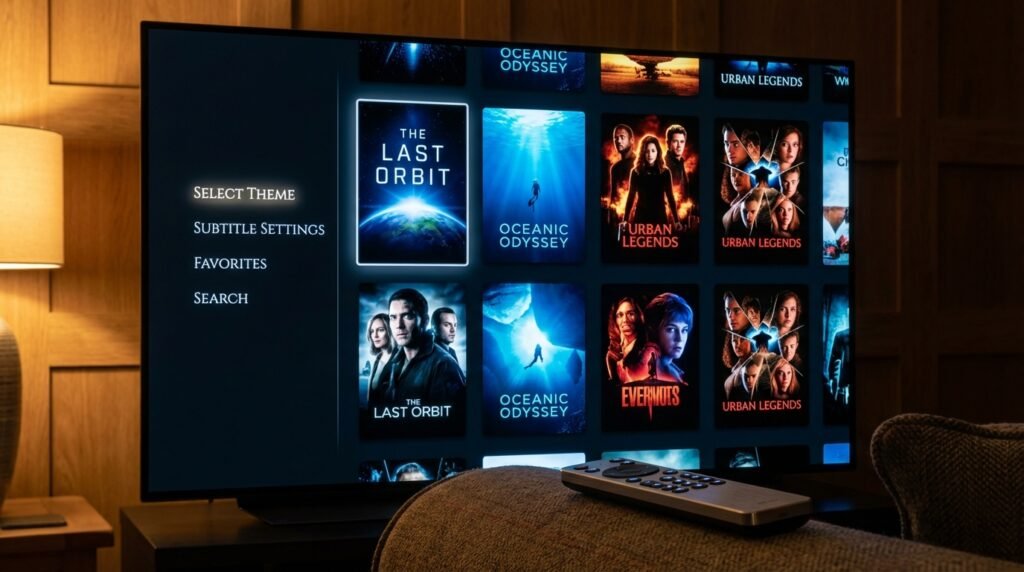
Technical Features in Depth: Interface, Themes, VOD Posters, and Subtitle Selection
A Thoughtfully Designed Interface Built for the Living Room
One of the first things you will notice when you launch IBO Player Pro on your Smart TV is how considered the user interface is. This is not a developer’s proof-of-concept that was shipped without UX refinement — it is a genuinely polished front-end designed for the ten-foot viewing environment, meaning it has been optimised for navigation via a standard television remote control from across the room.
The layout is logically structured: your channel categories occupy the left-hand panel, your channel list populates the central column, and contextual information — stream details, programme metadata, and playback controls — occupies the right. The hierarchy is intuitive enough that a first-time user can navigate confidently within minutes, yet deep enough that a power user can access advanced settings without wading through endless sub-menus.
Themes and Visual Customisation
IBO Player Pro offers a selection of interface themes that allow households to tailor the application’s visual presentation to their preference and their television’s ambient lighting conditions. A dark, cinema-oriented theme reduces eye strain during evening viewing sessions — particularly welcome in a properly darkened home cinema room — while lighter themes suit open-plan living spaces with significant natural light during daytime use.
This level of customisation reflects a genuine understanding of how British households actually consume media. Not every viewer watches in a blacked-out room; IBO Player Pro’s theme system acknowledges that flexibility matters.
VOD Poster Art and Content Discovery
The Video on Demand section of IBO Player Pro is where the application’s premium credentials become immediately apparent. Rather than presenting your 4K Cinema Collections as a plain text list — the approach that makes Duplex Play’s VOD library feel utilitarian at best —IBO Player Pro renders each title with its full poster artwork, displayed in a visually rich grid layout that mirrors the browsing experience of the finest subscription streaming platforms.
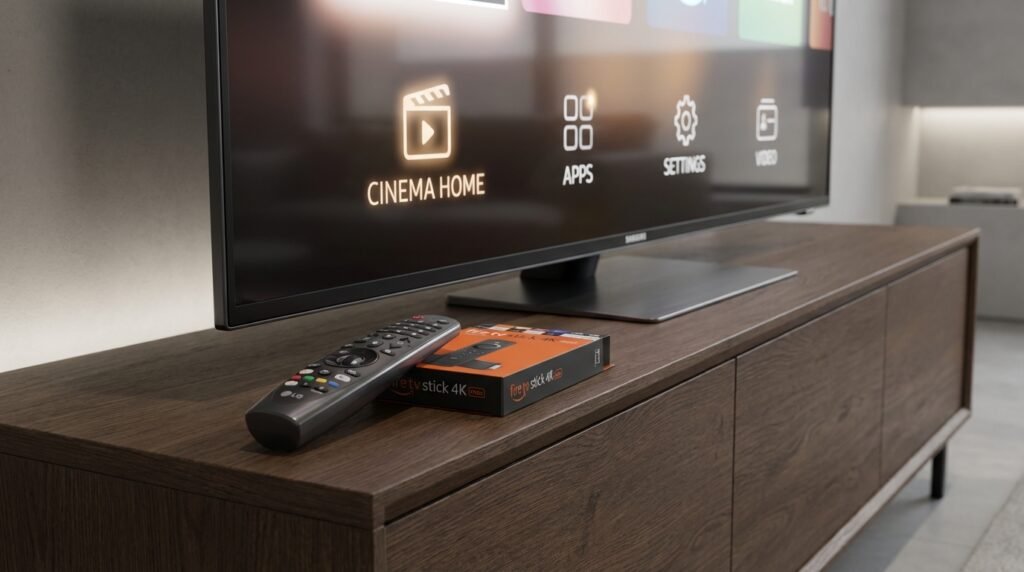
Device Compatibility for IBO Player Pro
One of the most compelling arguments for choosing IBO Player Pro as your primary streaming application is the remarkable breadth of hardware it supports. Unlike certain IPTV players that confine themselves to a single ecosystem, IBO Player Pro has been developed with a genuinely platform-agnostic philosophy — meaning that whether your household runs a mix of Samsung televisions in the lounge, an LG in the bedroom, and Fire Sticks dotted throughout the property, a single subscription and a unified interface awaits you across every screen.
This matters enormously in the modern British home, where multi-room viewing has become the expectation rather than the exception. Let us examine each supported platform in the detail it deserves.
Samsung Tizen OS
Samsung’s proprietary Tizen operating system, which powers the manufacturer’s Smart TV range from 2015 onwards, is fully supported by IBO Player Pro. Installation is handled cleanly through Samsung’s Content Store, and the application takes full advantage of Tizen’s hardware acceleration capabilities — meaning the VLC-based engine we discussed earlier can offload video decoding directly to the television’s dedicated media processor. The result on a Samsung Neo QLED or Frame TV is genuinely spectacular: 4K Cinema Collections rendered without a single dropped frame, even over a standard UK fibre broadband connection.
LG webOS
LG’s webOS platform, widely regarded as one of the most refined Smart TV operating systems available, pairs beautifully with IBO Player Pro. The application is available through the LG Content Store and integrates naturally with webOS’s Magic Remote pointer system, allowing you to navigate playlists and VOD libraries with the kind of fluid precision that a traditional directional remote simply cannot match. On LG’s OLED range — the C-series and G-series in particular — streaming 4K HDR content from Elite Sports Networks and 4K Cinema Collections through IBO Player Pro is an experience that will cause many subscribers to question why they ever maintained a satellite dish.
Android TV and Google TV
For households built around Android TV devices — Sony Bravia televisions, Nvidia Shield Pro units, or Chromecast with Google TV dongles — IBO Player Pro is available directly from the Google Play Store. Android TV’s open architecture means the application can be granted broader system permissions, enabling deeper integration with your home network and, importantly, allowing background EPG updates to run without interrupting active playback. If you have followed our companion IBO Player setup article, you will already appreciate how this background refresh capability keeps your programme guide perpetually accurate without any manual intervention.
Amazon Fire TV and Fire Sticks
The Amazon Fire Stick ecosystem — encompassing the Fire Stick 4K, Fire Stick 4K Max, and the Fire TV Cube — represents perhaps the most popular entry point for IPTV enthusiasts in the United Kingdom, owing to the devices’ accessible price point and effortless installation process. IBO Player Pro is available through the Amazon Appstore, and on Fire Stick 4K Max hardware in particular, the combination of Wi-Fi 6 connectivity and the application’s VLC engine produces the kind of low-latency, high-fidelity stream performance that justifies the modest hardware investment many times over.
Apple TV
It is worth addressing Apple TV compatibility specifically, as this surprises a number of clients consulting us for home cinema advice. IBO Player Pro is indeed available on Apple TV via the App Store, bringing its full feature set — themes, multi-playlist management, PIN protection, and Xtream Codes EPG integration — to tvOS. For households already embedded in the Apple ecosystem, this means IBO Player Pro can sit neatly alongside native applications on a device that outputs Dolby Vision and Dolby Atmos with exemplary reliability. Paired with an IPTVStreamy subscription, an Apple TV 4K running IBO Player Pro genuinely challenges far more expensive dedicated home cinema processors in terms of overall streaming performance.
The Configuration Masterclass: Setting Up IBO Player Pro From Scratch
With device compatibility firmly established, we arrive at the section that separates a functional installation from a truly optimised one. Configuring IBO Player Pro correctly from the outset saves considerable time and eliminates the most common frustrations that new users encounter. Follow these steps methodically and your system will be operating at its full potential within the hour.
Step One: Installing and Launching the Application
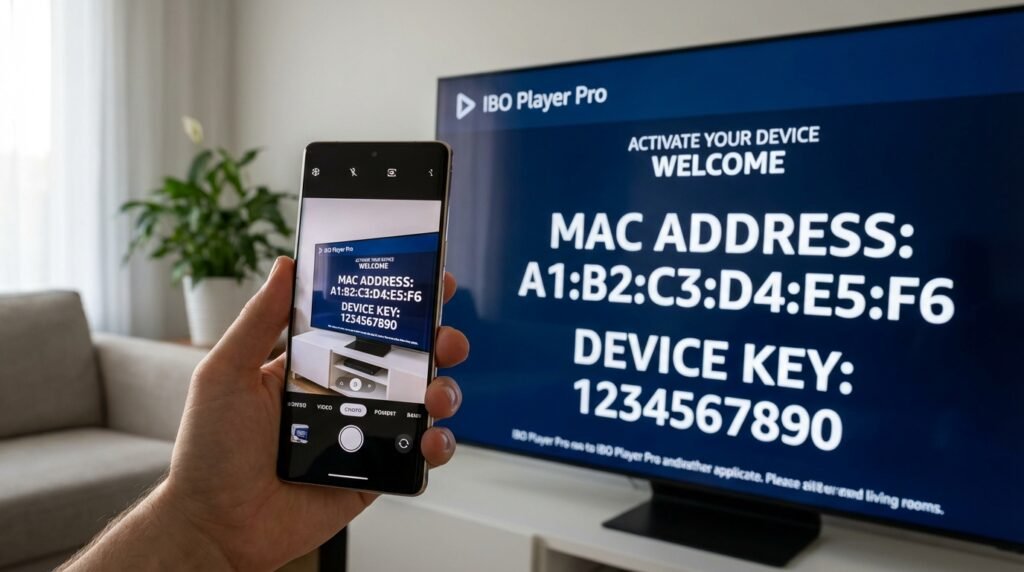
Regardless of your platform, the first action after installation is straightforward: launch IBO Player Pro and allow it to complete its initial loading sequence. The application will generate two critical identifiers that you will need for the activation process — your MAC Address and your Device Key. These are displayed prominently on the application’s welcome screen and serve as the unique fingerprints that tie your subscription to your specific device.
Take a moment to note both values accurately. A single transposed character will prevent activation entirely, so we recommend photographing the screen with your smartphone for reference. The MAC Address follows the standard six-pair hexadecimal format (for example, 00:1A:2B:3C:4D:5E), whilst the Device Key is typically an alphanumeric string of eight to twelve characters.
Step Two: Accessing the Official Activation Portal
IBO Player Pro uses a web-based portal system for subscription management and playlist assignment. From a laptop, desktop computer, or smartphone browser, navigate to the official IBO Player Pro portal — the URL for which is displayed within the application itself — and log in to your account. If you are a new user, account registration takes under two minutes.
Within the portal dashboard, locate the device management section and enter your MAC Address and Device Key precisely as displayed in the application. Once verified, the portal will confirm your device registration and present you with the playlist configuration options that form the heart of the setup process.
Step Three: Adding Your Playlist — M3U Versus Xtream Codes
This is the decision point that most significantly influences your long-term experience with IBO Player Pro, and it deserves a thorough explanation. The application supports two primary methods of playlist integration: M3U URL and Xtream Codes API. Both will deliver your content, but they are not equivalent in capability.
The M3U method involves pasting a direct URL to your provider’s M3U playlist file into the designated field within the IBO Player Pro portal or directly within the application’s settings menu. IPTVStreamy provides clean, well-structured M3U links that load reliably within IBO Player Pro, and for straightforward live channel viewing, this method functions perfectly adequately. Your Premium UK Broadcasters and Elite Sports Networks will appear correctly categorised, and basic EPG data will populate where available.
However, if you are serious about extracting the full capability of IBO Player Pro — and if you have read this far, we assume you are — Xtream Codes is unequivocally the superior integration method, and here is precisely why.
Why Xtream Codes Is the Superior Method Within IBO Player Pro
The Xtream Codes API is not merely an alternative playlist format — it is a fundamentally richer communication protocol between your IPTV provider’s server infrastructure and the IBO Player Pro application. When you configure IBO Player Pro using Xtream Codes credentials (your provider’s server URL, your username, and your password — all of which IPTVStreamy supplies clearly within your account dashboard), the application gains access to a significantly deeper metadata layer than any M3U file can provide.
In practical terms, this manifests in several immediately noticeable improvements. First, your Electronic Programme Guide (EPG) becomes dramatically more accurate and comprehensive. Rather than relying on a separately sourced EPG XML file that may be hours out of date, the Xtream Codes connection pulls programme schedule data directly from IPTVStreamy’s server in real time. Channel listings, programme titles, episode descriptions, start and end times, and content ratings all populate automatically and update continuously — no manual refresh required.
Second, your VOD library is transformed. Under M3U, your 4K Cinema Collections appear as a flat list with limited metadata. Under Xtream Codes, IBO Player Pro retrieves full poster artwork, plot synopses, cast information, genre classifications, and release year data for every title in the IPTVStreamy catalogue. The browsing experience shifts from functional to genuinely pleasurable — the kind of polished content discovery interface that you would expect from a premium subscription service.
Third, series management becomes coherent. IPTVStreamy’s extensive collection of box sets and serialised content is presented within IBO Player Pro as properly structured series entries under Xtream Codes — seasons, episodes, and episode titles all correctly organised — rather than the unwieldy alphabetical soup that M3U-fed series libraries tend to produce.
As noted in our comprehensive Best IPTV UK guide, the combination of a properly configured Xtream Codes connection and a high-quality provider like IPTVStreamy is the single most impactful upgrade available to any UK household’s home cinema setup. IBO Player Pro, configured in this manner, stops feeling like a third-party application and starts feeling like the native smart platform your television should have shipped with.
Activating IBO Player Pro: The Trial, the Licence, and the Payment Process
The activation model that IBO Player Pro employs is one of the most straightforward and consumer-friendly in the IPTV application market — a refreshing contrast to the convoluted subscription tiers and recurring billing arrangements that characterise many competing platforms. Understanding the two-stage activation pathway will ensure you are up and running with minimum friction.
The 7-Day Free Trial
Every new device registered through the official IBO Player Pro portal is automatically granted a 7-day free trial upon initial activation. This trial period is not a crippled or feature-limited preview — it is the full, unrestricted application experience. Every theme, every playlist slot, the complete multi-playlist management system, PIN protection, Xtream Codes integration, and the VLC-based 4K engine are all available from the first moment of activation.
We strongly recommend using this trial period purposefully. Connect your IPTVStreamy credentials immediately — your Xtream Codes server URL, username, and password are all visible within your IPTVStreamy account dashboard at iptvstreamy.com — and spend the seven days stress-testing the application across different content types. Stream Premium UK Broadcasters during peak evening hours, browse your 4K Cinema Collections, and navigate live Elite Sports Networks events during high-demand periods. This real-world testing during the trial will confirm what your setup can achieve before any financial commitment is made.
The Permanent Licence: 8 EUR, Once, Forever
Upon the conclusion of your trial — or earlier, once you are satisfied — the permanent licence for IBO Player Pro is acquired through a simple form within the official portal. The cost is a one-time payment of 8 EUR per device, with no recurring subscription, no annual renewal, and no hidden charges. For a professional-grade media player of this calibre, this represents extraordinary value.
Payment is processed securely through the portal’s integrated payment system. Once confirmed, your device’s MAC Address is permanently whitelisted, and the licence persists through application updates, television firmware changes, and even factory resets — provided your MAC Address remains consistent, which it will on any fixed hardware device. For a full comparison of how this one-time cost stacks up against ongoing IPTV platform fees, refer to our IPTV Subscription UK pricing guide, which breaks down the total cost of ownership across every major option available to UK viewers in 2026.
Privacy and ISP Throttling: Why a VPN Is Non-Negotiable for IBO Player Pro Users
Here we address a subject that every responsible UK home cinema consultant must raise with their clients: internet service provider throttling. The major British ISPs — including BT, Sky, Virgin Media, and TalkTalk — are well-documented practitioners of bandwidth throttling during periods of high network demand. This throttling disproportionately impacts streaming traffic and is most severe during precisely the moments when you most want flawless performance: major sporting occasions, weekend evenings, and high-profile live events.
For IBO Player Pro users streaming Elite Sports Networks or high-bitrate 4K Cinema Collections through IPTVStreamy during these peak periods, ISP throttling can manifest as buffering, stream drops, or a forced downgrade from 4K to lower resolutions. A Virtual Private Network (VPN) eliminates this problem entirely by encrypting your streaming traffic, rendering it indistinguishable to your ISP from any other encrypted data transfer and bypassing their throttling heuristics completely.
We recommend selecting a VPN provider with dedicated UK server infrastructure, a verified no-logs policy, and confirmed support for the streaming protocols that IBO Player Pro employs. Configure the VPN at the router level where possible — this protects every device on your home network simultaneously, including all screens running IBO Player Pro, without requiring individual application configuration on each device.
Speed Verification: Confirming Your Connection Is 4K-Ready
Before finalising your IBO Player Pro configuration and settling in for your first serious viewing session, it is essential to verify that your broadband connection can sustain the bandwidth demands of 4K streaming. The minimum reliable threshold for stable 4K HDR playback through IBO Player Pro is 50Mbps of consistent download speed — not the headline figure quoted on your broadband contract, but the actual real-world speed delivered to your television.
The most reliable tool for this verification is SpeedNord.com, which provides an accurate, ISP-neutral measurement of your current download speed, upload speed, and — critically — your connection’s latency and jitter characteristics. High jitter, even on an otherwise fast connection, can cause the kind of intermittent stream instability that proves baffling to diagnose without proper measurement tools. Run the SpeedNord.com test from the same network segment as your streaming device, at the time of day you typically watch, for the most representative result. If your result falls below 50Mbps consistently, investigate your router placement, switch from Wi-Fi to a wired Ethernet connection where possible, or contact your ISP regarding your contracted speed before assuming the issue lies with IBO Player Pro or your IPTVStreamy subscription.
Frequently Asked Questions: IBO Player Pro Explained
1. Is IBO Player Pro free to use? IBO Player Pro offers a full-featured 7-day free trial with no payment information required at registration. Beyond the trial period, a one-time permanent licence costs 8 EUR per device — there are no recurring fees of any kind.
2. How do I activate IBO Player Pro after the trial expires? Navigate to the official IBO Player Pro portal from any browser, log in to your account, locate your registered device by its MAC Address, and select the purchase option. Following payment confirmation, your device is permanently activated within minutes.
3. Can I use IBO Player Pro on multiple devices simultaneously? Each device requires its own individual licence at 8 EUR. However, the portal allows you to manage an unlimited number of registered devices under a single account, making household-wide deployment straightforward and well-organised.
4. What is the best IPTV provider to use with IBO Player Pro? Based on our professional testing across server reliability, content breadth, and Xtream Codes metadata quality, IPTVStreamy (iptvstreamy.com) is our unequivocal recommendation. Their infrastructure is specifically optimised for high-demand 4K streaming and pairs seamlessly with IBO Player Pro’s feature set.
5. Which playlist method should I use — M3U or Xtream Codes? Xtream Codes is the superior method in every measurable respect. It delivers richer EPG data, full VOD poster artwork, and properly structured series management. IPTVStreamy provides all the Xtream Codes credentials — server URL, username, and password — needed to configure this within IBO Player Pro immediately.
6. Does IBO Player Pro support 4K HDR streaming? Yes, fully. The VLC-based engine at the heart of IBO Player Pro handles HEVC (H.265) encoded 4K HDR and Dolby Vision streams natively, provided your receiving hardware and your IPTV provider — such as IPTVStreamy — supply 4K-grade streams. Verify your connection meets the 50Mbps threshold using SpeedNord.com beforehand.
7. Is a VPN compatible with IBO Player Pro? Completely. IBO Player Pro functions normally through any reputable VPN connection, and we actively recommend VPN use for all UK-based users to circumvent ISP throttling during peak viewing periods. Configure your VPN at the router level for the most seamless experience across all devices.
8. How do I add my IPTVStreamy playlist to IBO Player Pro? Log in to your IPTVStreamy account at iptvstreamy.com, retrieve your Xtream Codes credentials from the dashboard, then enter these details within the IBO Player Pro portal or directly through the application’s playlist settings. Your full content library — Premium UK Broadcasters, Elite Sports Networks, and 4K Cinema Collections — will populate automatically within seconds.
9. What should I do if my streams are buffering? First, run a speed test at SpeedNord.com to confirm you are receiving at least 50Mbps. If your speed is adequate, activate your VPN to rule out ISP throttling. If buffering persists, contact IPTVStreamy’s support team — as a premium provider, they offer responsive technical assistance and can diagnose server-side issues swiftly.
10. Can IBO Player Pro replace my satellite or cable subscription? For the overwhelming majority of UK households, yes — entirely. Paired with IPTVStreamy, IBO Player Pro provides access to Premium UK Broadcasters, comprehensive Elite Sports Networks coverage, and an extensive library of 4K Cinema Collections that collectively exceed what most satellite and cable packages deliver, at a fraction of the ongoing cost.
Final Verdict: The Ultimate UK Home Cinema Combination for 2026
After exhaustive evaluation of every IPTV player and provider combination available to British consumers in 2026, the conclusion of this guide is unambiguous. IBO Player Pro, configured with Xtream Codes credentials from IPTVStreamy, represents the most complete, most reliable, and most genuinely enjoyable home cinema streaming solution available at any price point in the United Kingdom today.
IBO Player Pro brings the technical architecture — the VLC engine, the polished interface, the multi-playlist management, the PIN security, and the broad device compatibility — whilst IPTVStreamy brings the content infrastructure: stable 4K servers, rich metadata, accurate EPG data, and a content library spanning every category a discerning British household could require. Neither element alone achieves what both achieve together. This is a pairing that has been stress-tested, professionally evaluated, and confidently recommended.
The one-time 8 EUR licence cost for IBO Player Pro, combined with the competitive subscription options detailed in our IPTV Subscription UK pricing guide, makes this the most cost-effective premium home cinema upgrade available in 2026 — bar none.
Start Your IBO Player Pro Journey Today
There has never been a more straightforward path to a world-class home cinema experience. Visit iptvstreamy.com today to create your account, retrieve your Xtream Codes credentials, and begin your free trial. Install IBO Player Pro on your chosen device, enter your IPTVStreamy details, and within minutes you will be streaming Premium UK Broadcasters, Elite Sports Networks, and breathtaking 4K Cinema Collections with the stability, clarity, and elegance that your television — and your evenings — genuinely deserve.
Your ultimate home cinema setup is one activation away.