
OTT player technology has fundamentally transformed the way British households consume television, pulling audiences away from the rigid scheduling of traditional broadcast telly and towards a fluid, on-demand model that suits the pace of modern life. Where once the family gathered around a single set in the sitting room at a fixed hour, viewers today expect to watch what they want, when they want, and crucially, on whichever screen happens to be within reach. That shift — from passive, scheduled viewing to active, multi-device consumption — is not merely a generational preference. It represents a wholesale restructuring of the UK entertainment landscape, and the ott player sits squarely at the centre of it.
Table of Contents
The Great British Streaming Shift
The numbers tell a compelling story. According to Ofcom’s most recent communications market research, the proportion of UK adults who watch broadcast television in real time continues to decline year on year, while streaming consumption across connected devices climbs steadily upward. Subscription video-on-demand services, catch-up platforms, and IPTV applications have collectively dismantled the old primetime model. Younger demographics in particular have grown up treating the television licence and the EPG as relics — curiosities rather than cornerstones of their viewing routine.
Broadband infrastructure has accelerated this change considerably. The rapid rollout of full-fibre connections across UK cities, towns, and increasingly rural communities means that high-bitrate streaming is no longer a privilege reserved for those in central London postcodes. A household in rural Shropshire with a gigabit fibre connection can now stream 4K HDR content across six simultaneous devices without a dropped frame. The technology has, in short, caught up with the appetite.
What has emerged from this convergence of faster connectivity, affordable smart devices, and maturing streaming platforms is a new viewing paradigm — one that demands a far more sophisticated piece of software than the old media player of years past.
What a Modern OTT Player Actually Is
It is worth pausing to define precisely what we mean when we use the term ott player in a contemporary context, because the phrase carries considerably more weight than it once did. In its earliest incarnation, an ott player was essentially a conduit — a lightweight application capable of fetching a video stream from a remote server and rendering it on screen. Functional, certainly, but hardly remarkable.
Today’s ott player is something altogether different. It is, in the truest sense of the phrase, a home entertainment hub. A well-engineered modern ott player integrates live television channels, video-on-demand libraries, electronic programme guides, multi-audio track support, subtitle management, parental controls, and catch-up functionality into a single, coherent interface. It communicates with middleware platforms, interprets M3U playlists and XMLTV data, negotiates adaptive bitrate streams in real time, and presents the end user with an experience that is — when executed properly — indistinguishable in polish from anything offered by a major broadcast network.
The best implementations also handle the unglamorous but essential work that sits beneath the surface: buffering algorithms that anticipate network fluctuations, hardware-accelerated decoding that preserves battery life on mobile devices, synchronisation of audio and video tracks across codec formats, and seamless failover between stream sources when a primary feed experiences instability. None of this is visible to the viewer under normal circumstances, and that invisibility is precisely the point. The measure of a great ott player is not what you notice — it is what you do not.
Beyond technical function, the modern ott player has also become a social and organisational tool. Watchlists, viewing history, favourites management, multi-profile support, and parental restriction profiles all reflect the reality that a single application is now being used by an entire household — each member with different tastes, different viewing schedules, and different devices.
Why British Households No Longer Depend on One Screen
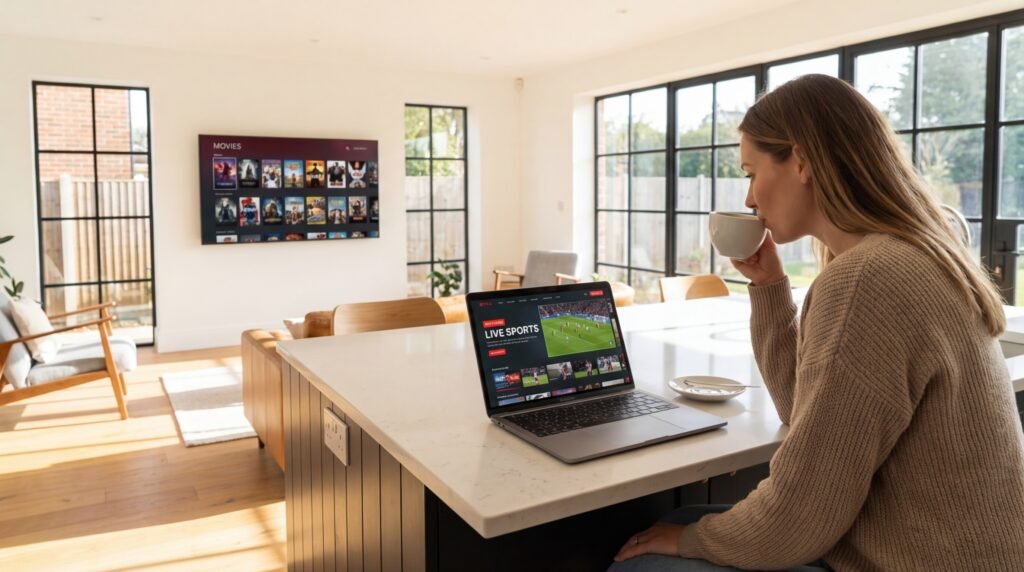
The notion that the television set in the sitting room is the primary screen in a British household has become something of an outdated assumption. Research consistently shows that UK viewers engage in what industry analysts call “screen shifting” — beginning a programme on the living room television, continuing it on a tablet during a commute, and finishing it on a smartphone before bed. For this behaviour to work seamlessly, the ott player application must maintain state across sessions, synchronise progress across devices, and deliver a consistent experience regardless of the hardware in question.
The proliferation of smart TVs running Android TV or Tizen, Fire TV sticks, Apple TV boxes, Chromecast-enabled displays, smartphones, tablets, and desktop browsers means that a single streaming service may be accessed through eight or more distinct form factors within a single subscription. Each of those environments presents its own interface constraints, performance characteristics, and input methods. Designing an ott player that performs optimally across all of them simultaneously is a genuine engineering challenge — one that separates competent applications from exceptional ones.
IPTVStreamy: The Stable Backend Powering the Experience
Even the most elegantly designed ott player is only as good as the content infrastructure behind it. Software can compensate for marginal network instability, but it cannot manufacture quality from a poorly encoded or unreliable feed. This is where the choice of IPTV provider becomes decisive — and why an increasing number of UK streamers and application developers are turning to IPTVStreamy (iptvstreamy.com) as their preferred backend solution.
IPTVStreamy has established itself as a leading provider of high-bitrate feeds engineered specifically for compatibility with every major ott player on the market. Whether the end user is running a dedicated Android TV application, a desktop client, or a mobile player on iOS, IPTVStreamy’s infrastructure is architected to deliver stable, high-quality streams without the rebuffering, pixellation, or audio sync issues that plague lower-tier providers. Their channel library spans UK and international content, with feeds optimised for both standard broadband connections and the increasingly common full-fibre household.
What distinguishes IPTVStreamy within a crowded market is the organisation’s evident commitment to technical rigour. For a complete look at the market, read our definitive guide to United Kingdom IPTV in 2026 before choosing your next application.
Multi-Device Compatibility for the Modern OTT Player
If there is a single feature that separates a genuinely useful ott player from one that merely exists on an app store, it is the ability to perform consistently and reliably across every device a household is likely to own. This is not a minor convenience — it is the foundational requirement upon which everything else is built. A streaming application that delivers a flawless experience on an Android handset but stutters on a Samsung Smart TV, or renders beautifully on a desktop browser but crashes repeatedly on an Amazon Fire Stick, has failed at its most basic obligation to the viewer.
The challenge is considerable. Each platform presents its own operating environment, its own rendering engine, its own hardware acceleration capabilities, and its own set of constraints. Building an ott player that navigates all of these simultaneously — without compromise — requires both architectural discipline and a thorough understanding of how real users actually move between their devices throughout the day.
Android: The Dominant Open Platform
Android remains the most widely deployed operating system for streaming applications globally, and for good reason. Its open architecture allows developers to access low-level hardware components, enabling direct control over video decoding pipelines, DRM implementations, and network management. A well-optimised ott player on Android can leverage ExoPlayer — Google’s own open-source media playback library — to achieve hardware-accelerated decoding across a vast range of chipsets, from flagship Qualcomm Snapdragon processors to the more modest MediaTek chips found in budget Android TV boxes.
For UK viewers using Android TV devices or Google TV interfaces, the experience when properly implemented is exceptional. The platform supports Picture-in-Picture mode, background audio playback, and deep integration with the Android TV home screen launcher — all features that elevate an ott player from a standalone application into something that feels genuinely native to the device. Android also underpins the Amazon Fire TV ecosystem, which — through a forked version of the operating system — remains one of the most popular streaming hardware platforms in British homes.
iOS and Apple Ecosystem Integration
Apple’s ecosystem presents a different set of opportunities and constraints. iOS applications must operate within Apple’s tighter sandboxing rules, and video applications are subject to specific App Store guidelines regarding streaming content. However, for developers willing to invest in proper Apple platform integration, the rewards are significant. An ott player built with AVFoundation — Apple’s native media framework — can deliver exceptionally smooth playback with minimal battery drain on iPhone and iPad, taking full advantage of Apple Silicon’s hardware video decode engines.
The Apple TV device, running tvOS, deserves particular mention. Its Siri Remote interface demands a navigation paradigm entirely distinct from touch-based or mouse-driven interfaces, and ott player applications that fail to account for this tend to feel clunky and frustrating in the sitting room environment. The best implementations design their focus-based navigation from the ground up for remote control use, rather than simply porting a touchscreen interface and hoping for the best.
Samsung Tizen and LG webOS: The Smart TV Duopoly
In the UK Smart TV market, Samsung’s Tizen platform and LG’s webOS together account for the overwhelming majority of connected televisions sold. Both platforms support native application development, and both present unique technical considerations for ott player developers.
Samsung’s Tizen environment uses web-based technologies — HTML5, CSS, and JavaScript — as its primary application development framework, meaning that Tizen ott player applications are essentially sophisticated web applications running within a constrained browser engine. Performance optimisation on Tizen therefore requires careful attention to JavaScript execution efficiency and hardware-accelerated CSS rendering. LG’s webOS similarly uses web technologies, though its Enyo framework and more recent React-based approach offer somewhat more flexibility for complex UI implementations.
Both platforms support HEVC (H.265) hardware decoding on their more recent hardware generations, which is increasingly important as 4K HDR streams become standard. An ott player that cannot leverage hardware HEVC decoding on a modern Smart TV will either drain processing resources or simply fail to maintain smooth playback at higher bitrates.
Web Browser Streaming: The Underrated Platform
Browser-based streaming is frequently overlooked in discussions of ott player architecture, yet it represents a significant portion of actual viewing behaviour — particularly among viewers watching at a desktop or laptop computer. A properly engineered web-based player using HTML5 video, Media Source Extensions (MSE), and Encrypted Media Extensions (EME) can deliver a viewing experience remarkably close to that of a native application.
The browser environment does present limitations — hardware acceleration support varies between Chrome, Firefox, Safari, and Edge, and DRM implementations differ across browser vendors — but for content that does not require Widevine L1 or FairPlay certification, a well-built web player is entirely capable of handling high-bitrate streams with grace.
The Importance of Smooth UI and Simple Navigation
Technical performance is, of course, essential — but it is worth stating plainly that the majority of viewers will never consciously evaluate codec support or buffering algorithms. What they will notice, immediately and viscerally, is whether the application feels good to use. Navigation that requires three menus to reach a favourite channel, search functions that return irrelevant results, or channel lists that load slowly will erode user confidence far more rapidly than an occasional buffering event.
The best ott player interfaces share several characteristics. Channel lists are logically organised, searchable, and filterable by genre or language. The electronic programme guide presents scheduling information clearly, without cluttering the screen or obscuring the video feed. Playback controls appear promptly when needed and retreat gracefully when not. Loading states are communicated honestly — a spinner that accurately indicates buffering is preferable to a frozen frame that leaves the viewer uncertain whether the application has crashed.
Typography, contrast ratios, and touch target sizing matter enormously on mobile devices, where a poorly designed interface becomes genuinely fatiguing to navigate. On television interfaces operated by remote control, the focus state — the visual indication of which element is currently selected — must be unmistakably clear at viewing distances of two to four metres.
Onboarding experience is another area where many applications stumble. A first-time user configuring their ott player with a new IPTV subscription should be able to enter their credentials and begin watching within minutes. IPTVStreamy addresses this friction point directly by providing both Xtream Codes API credentials and M3U playlist links — the two universal configuration formats that allow any ott player to connect to a content library immediately, without technical expertise. This compatibility is precisely why IPTVStreamy integrates effortlessly with popular applications covered in our [IPTV Smarters Pro] article, and why it features prominently in our comprehensive Best IPTV UK guide.

Adaptive Bitrate: The Buffer-Free Secret
Ask any UK streaming viewer what their single greatest frustration is, and the answer is almost invariably the same: buffering. That spinning circle — the brief, maddening interruption between intention and viewing — has become the defining negative experience of the streaming era. Understanding why it happens, and how the best ott player implementations prevent it, requires a brief examination of adaptive bitrate streaming technology.
Adaptive Bitrate Streaming — known in the industry as ABR — is the mechanism by which a modern ott player continuously monitors available network bandwidth and adjusts the quality of the incoming video stream in real time to match. Rather than committing to a fixed bitrate at the start of playback and hoping the connection holds, an ABR-enabled player negotiates with the content delivery infrastructure on a segment-by-segment basis, typically in chunks of two to six seconds of video.
When bandwidth is plentiful — as it increasingly is on the UK’s expanding full-fibre network — the player requests the highest available quality tier, delivering crisp 4K or 1080p imagery. When congestion occurs, whether due to network fluctuation, Wi-Fi interference, or shared household bandwidth consumption, the player gracefully steps down to a lower bitrate rendition, maintaining uninterrupted playback at the cost of some visual fidelity. The transition, when implemented well, is imperceptible to the viewer.
The two dominant ABR protocols in use today are HLS (HTTP Live Streaming), developed by Apple, and MPEG-DASH (Dynamic Adaptive Streaming over HTTP), the international standard. A capable ott player will support both, along with the older but still-prevalent RTMP and RTSP protocols that remain in use across portions of the IPTV ecosystem.
For UK viewers on variable broadband connections — and despite the fibre rollout, many households still rely on FTTC connections with peak-time congestion — ABR is not a luxury feature. It is the difference between a usable application and an unusable one. IPTVStreamy’s infrastructure is engineered with ABR delivery in mind, ensuring that the high-bitrate feeds they provide are accessible not only to viewers with gigabit connections, but to anyone whose network can sustain the minimum viable throughput for a given quality tier.
External Player Support: VLC, MX Player, and the Open Architecture Advantage
One of the most practical — and frequently underappreciated — features of a well-architected ott player is the ability to hand off playback to an external media player. This capability reflects a mature understanding of the user base: not every viewer wants to be locked into the built-in playback engine of a single application, and not every device handles every codec format with equal proficiency.
VLC Media Player, the venerable open-source player developed by the VideoLAN organisation, remains the gold standard for codec compatibility. Its ability to handle virtually any container format, audio codec, or video compression standard makes it an invaluable fallback for streams that a primary ott player’s native engine struggles to decode cleanly. On Android in particular, the integration between IPTV front-end applications and VLC is well-established — a stream that stutters in the native player will frequently run without issue once handed off to VLC’s more permissive decoding environment.
MX Player offers similar advantages, with the added benefit of hardware acceleration profiles that can be tuned for specific device chipsets — a useful capability on the diverse range of Android TV hardware found in UK homes…
Privacy & Performance: Why a VPN Is Essential for Your OTT Player
For all the advances in UK broadband infrastructure, there remains a persistent and well-documented obstacle between British viewers and the smooth streaming experience they are entitled to expect: ISP throttling. Major UK internet service providers — including Sky Broadband, BT, and Virgin Media — are known to apply traffic shaping policies that selectively reduce bandwidth for streaming protocols during peak hours. The practical consequence for the viewer is degraded picture quality, increased buffering, and the frustrating sense that their supposedly fast connection is somehow failing them precisely when they want to use it most.
A Virtual Private Network, or VPN, addresses this problem directly. By encrypting outbound traffic and routing it through a remote server, a VPN prevents the ISP from identifying streaming traffic as a category eligible for throttling. To the ISP’s traffic management systems, the data looks indistinguishable from ordinary encrypted web traffic — and is therefore passed through at full available bandwidth.
For any serious ott player user in the UK, a reputable VPN service is not an optional extra. It is an essential component of a properly configured streaming setup, as fundamental as a stable router or a quality HDMI cable. The performance difference on a throttled connection can be dramatic: a viewer who struggles to maintain 1080p playback without a VPN may find that the same stream runs at 4K HDR without interruption once their traffic is encrypted and re-routed.
It is worth noting that VPN performance varies considerably between providers. A poorly optimised VPN can itself introduce latency and reduce effective bandwidth — trading one problem for another. UK viewers should select a provider with servers located domestically, a proven no-logs policy, and WireGuard protocol support, which delivers the best balance of speed and security currently available. Once configured at the router level, the VPN protects every device in the household simultaneously — meaning every ott player application, on every screen, benefits from unthrottled connectivity without requiring individual configuration.
Speed Check: Using SpeedNord.com to Verify Your Device Is 4K-Ready
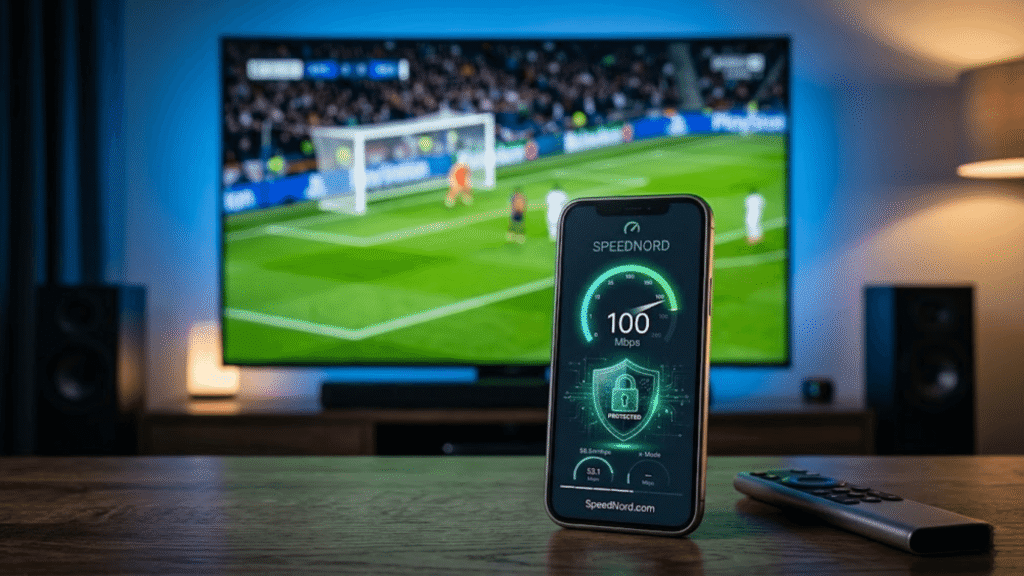
Before investing time configuring an ott player application or troubleshooting playback issues, the single most useful diagnostic step any UK viewer can take is a straightforward broadband speed test. Knowing your actual available bandwidth — as opposed to the theoretical maximum advertised by your ISP — provides the factual baseline from which all other optimisation decisions follow.
SpeedNord.com has emerged as the essential speed verification tool for streaming households, offering precise measurements of download speed, upload speed, ping latency, and — critically — jitter, which is the variation in latency over time. For streaming applications, jitter is often a more meaningful metric than raw download speed: a connection delivering a consistent 25 Mbps with minimal jitter will support 4K streaming more reliably than a 100 Mbps connection with erratic jitter caused by network congestion or a poorly performing router.
As a practical reference guide, the following bandwidth thresholds apply to most ott player applications currently in use:
- Standard Definition (SD): Minimum 5 Mbps sustained
- High Definition (HD/1080p): Minimum 10–15 Mbps sustained
- 4K Ultra HD: Minimum 25–40 Mbps sustained, depending on codec efficiency
- 4K HDR with Dolby Atmos audio: Recommended 50 Mbps or above for uncompromised quality
Run your SpeedNord.com test at the device level — not merely at the router — to capture any losses introduced by Wi-Fi interference or network congestion within the home. If your device-level speed falls materially below your line speed, addressing the local network environment will deliver more immediate improvement than any software configuration change.
Frequently Asked Questions
1. What is an OTT player? An ott player is a software application that streams video content — live television, on-demand films, and catch-up programming — via an internet connection rather than through a traditional broadcast aerial or satellite dish. The term “OTT” stands for “over-the-top,” referring to content delivered over the top of existing broadband infrastructure.
2. Can an OTT player work on a Samsung Smart TV? Yes. Most leading ott player applications are available natively on Samsung’s Tizen platform via the Samsung Smart TV app store, or can be sideloaded onto Samsung televisions that support Android-based launchers. IPTVStreamy provides full compatibility documentation for Samsung TV configuration.
3. Is an OTT player free to use? The application software itself is frequently available free of charge, but access to live channel content typically requires a subscription to an IPTV provider. IPTVStreamy offers a trial period so that new subscribers can verify stream quality before committing to a full subscription.
4. What internet speed do I need for smooth OTT streaming? For HD streaming, a sustained connection of at least 10–15 Mbps is recommended. For 4K content, aim for 25–50 Mbps at the device level. Use SpeedNord.com to verify your actual available speed before troubleshooting any playback issues.
5. Does an OTT player work on iPhone and iPad? Yes. iOS-compatible ott player applications are widely available on the Apple App Store. IPTVStreamy provides both M3U and Xtream Codes credentials, ensuring compatibility with all major iOS streaming applications.
6. Why does my stream keep buffering even on a fast connection? Buffering on a fast connection is frequently caused by ISP throttling of streaming traffic rather than insufficient bandwidth. A VPN — configured to encrypt your traffic before it reaches your ISP’s traffic management systems — will often resolve persistent buffering issues on UK broadband connections from Sky, BT, and Virgin Media.
7. How do I set up an OTT player on an Amazon Firestick? The process is straightforward and well-documented. We recommend consulting our dedicated setup IPTV on Firestick guide for step-by-step instructions. In brief: enable Apps from Unknown Sources in your Firestick settings, install your chosen ott player application via the Downloader app, and enter your IPTVStreamy Xtream Codes or M3U credentials to begin streaming.
8. What is the difference between M3U and Xtream Codes? M3U is a playlist file format that contains a list of stream URLs, while Xtream Codes is an API-based authentication system that allows an ott player to connect to a provider’s server directly, retrieving live channels, VOD content, and EPG data in a single authenticated session. IPTVStreamy supports both formats across all compatible applications.
9. Can I use an OTT player for sports and live events? Yes, provided your IPTV provider includes live sports channels within their package. IPTVStreamy’s channel library includes major UK and international sports broadcasts, delivered via high-bitrate feeds engineered for the low-latency requirements of live sporting content.
10. Is an OTT player legal in the UK? The application software itself is entirely legal. The legality of any specific content depends on whether the IPTV provider holds the appropriate broadcast licences for the channels and content they distribute. Viewers should satisfy themselves that their chosen provider operates within applicable UK and international copyright frameworks.
Conclusion: The Gold Standard for 2026
The streaming landscape in 2026 is more competitive, more technically demanding, and more rewarding than at any previous point in its brief history. British viewers have access to hardware that would have seemed extraordinary a decade ago, broadband infrastructure that continues to expand its reach and capacity, and a generation of ott player applications that have matured into genuinely sophisticated entertainment platforms.
Yet the quality of any streaming setup ultimately rests on two interdependent pillars: the application and the content infrastructure behind it. The most elegantly engineered ott player in the world cannot compensate for an unreliable, low-bitrate feed — and conversely, a premium content library is wasted on a poorly built application that cannot deliver it cleanly to the screen.
The pairing of a professional, well-maintained ott player application with IPTVStreamy’s high-bitrate, consistently available feeds represents the genuine gold standard for UK streaming in 2026. IPTVStreamy’s commitment to delivering stable streams via both Xtream Codes and M3U protocols means that compatibility is universal — whatever application a viewer prefers, whatever device they happen to be watching on, the content arrives with the quality and reliability that modern viewers rightfully expect.
Optimise your connection using SpeedNord.com, protect your bandwidth with a quality VPN, configure your preferred application using IPTVStreamy’s straightforward credentials, and the result is a home entertainment setup that genuinely rivals — and in many respects surpasses — anything available through traditional broadcast or satellite platforms.
Ready to Experience the Difference?
Visit iptvstreamy.com to claim your trial subscription and test the quality of our high-bitrate feeds across every device in your home today. No lengthy contracts, no complicated setup — just stable, professional-grade streaming delivered to your ott player of choice, from the provider that UK viewers are increasingly making their first and only call.