
Think about the last time you sat down to watch television. Chances are, you didn’t flip through a cable guide or fiddle with a satellite dish. You picked up a small, sleek device, pressed a button, and within seconds, you were streaming live sports, catching up on a favorite series, or diving into a foreign film catalog that would have been unimaginable just a decade ago. That little device sitting quietly beneath your TV? That’s the IPTV box — and it has quietly revolutionized the way the world consumes media.
Whether you’re a tech enthusiast chasing the best 4K stream or someone who simply wants to cut the cable bill without sacrificing quality, understanding the modern IPTV box is more relevant in 2026 than it has ever been. This guide walks you through everything — from the hardware’s fascinating history to advanced setup techniques, security threats, and how to stay on the right side of the law.
Table of Contents
What Exactly Is an IPTV Box?
At its core, an IPTV box is a digital translator. It receives internet signals, decodes compressed video data, and outputs that content to your television in a format it can display. Instead of receiving broadcasts through a rooftop antenna, a satellite dish, or a coaxial cable plugged into a wall, the IPTV box pulls content directly through your home’s broadband connection using Internet Protocol — the same underlying technology that powers websites and video calls.
This might sound simple, but the engineering behind it is genuinely impressive. The box must receive data packets, reassemble them in real time, decompress heavily encoded video files, synchronize audio and visual streams, and output everything with near-zero delay — all while running a full operating system that supports apps, updates, and user interaction.
The result is a device that replaced an entire tangle of broadcasting infrastructure with a sleek box that sits comfortably in the palm of your hand.

A Brief History: From Analog Boxes to AI Assistants
The story of the IPTV box is really the story of how humanity’s relationship with television changed.
In the 1970s, the earliest set-top boxes were bulky, analog units designed for one purpose: unlocking pay-per-view cable channels. They were expensive, limited, and owned by the cable companies themselves. Consumers had no choice in the matter.
By the 1990s, as cable television expanded rapidly across North America and Europe, the set-top box evolved considerably. Manufacturers introduced on-screen program guides, digital channel switching, and eventually, personal video recorders that allowed viewers to pause and rewind live television. This era gave consumers their first real taste of controlling their viewing experience rather than being passive recipients of whatever the broadcaster scheduled.
The 2010s brought the disruption that truly transformed the industry. Smartphones, high-speed broadband, and platforms like Netflix, YouTube, and Hulu forced hardware manufacturers to rethink the IPTV box from the ground up. Smart boxes emerged with full operating systems, Wi-Fi connectivity, and app stores. Voice control became a standard feature. The line between a television streaming device and a computer began to blur significantly.
Now, in 2026, the modern IPTV box sits at the intersection of artificial intelligence, 5G connectivity, 8K video, and cloud computing. The devices available today would have seemed like science fiction to someone shopping for a set-top box in 1995.
The Two Worlds: Open Platforms vs. Walled Gardens
One of the most important distinctions any prospective buyer needs to understand is the difference between open-platform devices and provider-locked hardware.
Walled garden boxes are typically issued by your internet or cable service provider as part of a subscription bundle. Your ISP’s custom software runs on these devices, and the experience is deliberately curated. The upside is seamless integration — everything works together, the guide is unified, and customer support is readily available. The downside is that you’re living inside someone else’s ecosystem. Installing third-party applications is either restricted or outright impossible, and switching providers means starting from scratch with new hardware.
Open-platform boxes, most commonly running Google-certified Android TV or Google TV operating systems, are an entirely different proposition. Devices from manufacturers like MECOOL, Ugoos, and Formuler allow users to access the full Google Play Store, install independent streaming applications, and configure their setup exactly as they prefer. You’re not locked to any single provider, and the same hardware can serve dozens of different streaming services simultaneously.
For most users who want long-term flexibility and value, an open-platform IPTV box is almost always the better investment.
The Best IPTV Boxes in 2026: A Curated Breakdown
The market has matured considerably, and the good news is that there’s a genuinely excellent option at every price point. Before diving into the hardware, it’s worth noting that no IPTV box delivers its full value without a reliable IPTV subscription behind it. The quality of your streams, the number of available channels, and the consistency of your viewing experience are all determined as much by your service provider as by your hardware. Choose both carefully.
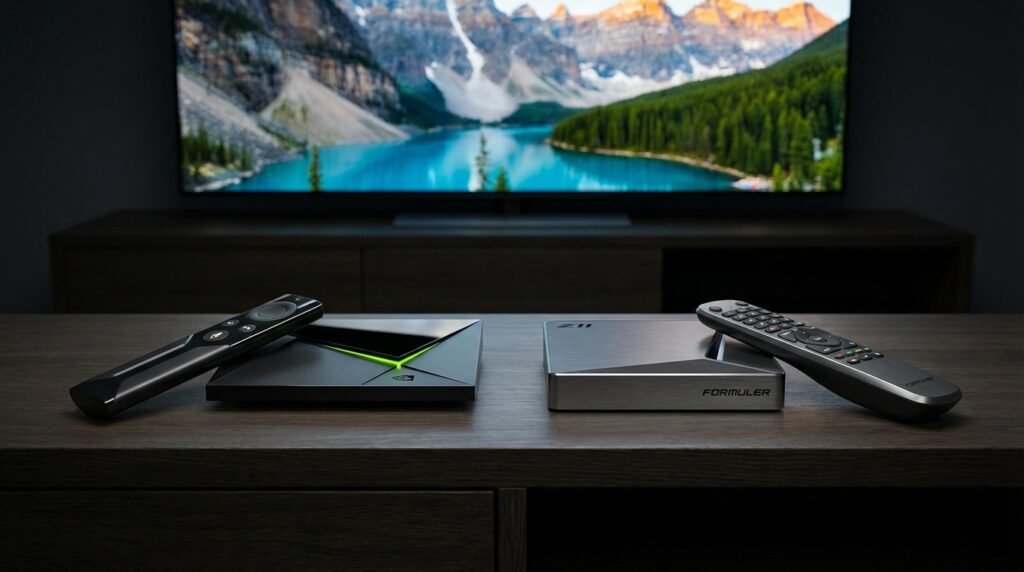
Formuler Z11 Pro Max — The Premium King
The Formuler Z11 Pro Max has earned its reputation as the gold standard in dedicated IPTV hardware. Its greatest strength is the built-in MyTVOnline 3 application, a purpose-built interface that makes navigating live channels, catch-up content, and electronic program guides feel genuinely intuitive. The remote control is thoughtfully designed with dedicated live TV buttons that users who migrate from traditional cable find immediately familiar. With 32GB of internal storage and a processor optimized for ultra-high-definition streaming, the Z11 Pro Max handles 4K HDR content without breaking a sweat.
BuzzTV Gen 5 — The Broadcaster’s Choice
For users who watch a lot of live television and hate missing moments, the BuzzTV Gen 5 series is built with them in mind. Its integrated TimeShift functionality allows viewers to pause, rewind, and replay live broadcasts — a feature that used to require expensive DVR hardware. The build quality is solid, performance is consistently reliable, and the interface has been refined through years of user feedback.
onn. 4K Pro — The Smart Budget Buy
Not everyone needs to spend hundreds of dollars to get an excellent streaming experience. Google’s own onn. 4K Pro, available for under fifty dollars, punches significantly above its price class. Running Google TV OS with 3GB of RAM and full 4K support, it’s the ideal starting point for someone entering the IPTV ecosystem without wanting to make a large initial investment.
NVIDIA SHIELD Pro — The Powerhouse
If performance is your primary concern and budget is secondary, the NVIDIA SHIELD Pro remains the most capable IPTV box money can buy. Its Tegra X1+ processor manages demanding video decoding tasks — including AI-upscaled content — without any perceptible lag. It doubles as a capable gaming platform and supports Plex Media Server, making it the preferred device for home entertainment enthusiasts who want a single device that does everything.
Ugoos SK1 — The Futureproof Option
The Ugoos SK1 has carved out a strong niche among users who want hardware capable of growing with the industry. With 8GB of RAM and a remarkable 128GB of internal storage, it handles 8K streaming environments and simultaneous application multitasking without complaint. For users who plan to hold onto their hardware for several years, the SK1’s specifications offer genuine peace of mind.
Setting Up Your IPTV Box: A Step-by-Step Overview
Getting your IPTV box running correctly from the start saves considerable frustration later. Here’s how a proper setup looks for most users.
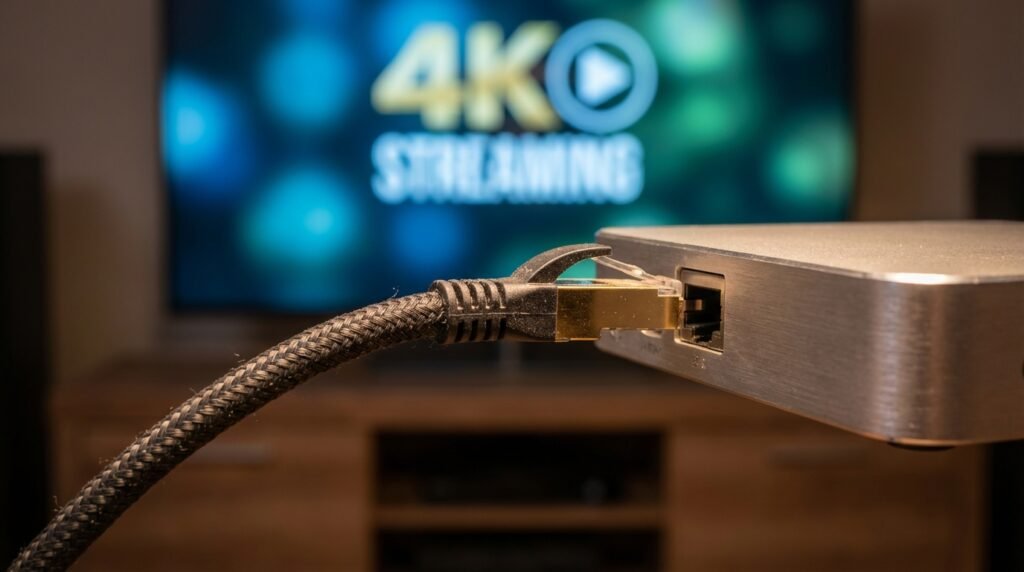
Step 1 — Physical Connection: Connect your box to your television using an HDMI 2.0 cable or higher. This ensures that 4K HDR signals are transmitted correctly. For optimal performance, connect the box to your router via Ethernet rather than relying on Wi-Fi. A wired connection eliminates packet loss, reduces latency, and provides the stable 25–50 Mbps bandwidth that high-definition streaming demands.
Step 2 — Account and OS Setup: Power on the device and follow the on-screen prompts to connect to your network, sign in to your Google account (for Android TV devices), and complete any system updates. Running on the latest firmware from day one protects you from known security vulnerabilities.
Step 3 — Installing Your Player: This is where your choice of application makes a significant difference to your day-to-day experience. IPTV Smarters Pro is one of the most widely recommended players in the community, and for good reason — its interface is clean, its M3U playlist integration is straightforward, and it handles large channel lists without performance degradation. Our dedicated IPTV Smarters Pro setup article walks through the full configuration process in detail, including how to organize your channel groups, enable catch-up, and optimize buffer settings for your specific connection speed. If you’re new to the IPTV ecosystem, starting with that guide before touching any settings will save you a significant amount of trial and error.
Step 4 — Amazon Firestick Users: A Special Note: If your hardware of choice is an Amazon Fire TV Stick rather than a dedicated Android TV box, the setup process involves a few additional steps that aren’t immediately obvious. Amazon’s ecosystem restricts the installation of applications not found in its own app store, which means accessing many independent IPTV players requires side-loading. Our comprehensive setup IPTV on Firestick installation guide covers this entire process — from enabling developer options in your device settings to safely downloading and installing APK files without exposing your device to unnecessary risk. It’s a slightly more involved process than setting up a native Android TV box, but entirely manageable when you follow the steps in the right order.
Step 5 — Loading Your Service: Enter your M3U URL or Xtream credentials into your chosen player application. The app will fetch your channel list, organize it by category, and make your electronic program guide available. Most decent players automatically sort channels by genre — sports, news, entertainment, international — and display scheduling information alongside each stream.
Step 6 — Optimizing Playback: Within your player’s settings, select hardware acceleration for video decoding. This shifts the processing workload from the device’s CPU to its dedicated GPU, resulting in smoother playback and reduced device heat.
For Sports Fans: Watching the Premier League on IPTV in the UK
Live sports are consistently the single biggest driver of IPTV adoption, and in the United Kingdom, Premier League football sits at the top of that list. Thousands of users switch to IPTV specifically because they want reliable access to top-flight football without paying for multiple expensive broadcast subscriptions simultaneously.
If you’re in that category, our dedicated guide on how to watch Premier League on IPTV UK covers everything you need to know — from selecting a provider with verified broadcasting rights for UK sports content, to configuring your player for the lowest possible stream latency during live matches. The guide also addresses the specific legal considerations that apply to Premier League streaming in the UK, where rights enforcement is particularly active, and explains what to look for in a service that operates transparently within those boundaries.
Not all IPTV providers handle sports content equally well. HD sports streams are bandwidth-intensive and latency-sensitive in a way that on-demand content simply isn’t. A provider that performs adequately for films may struggle significantly during a Saturday afternoon Premier League fixture when thousands of users are simultaneously accessing the same streams. Choosing a provider specifically vetted for sports performance is a meaningful decision, not a minor detail.
For a broader look at the UK market across all content categories — not just sports — our regularly updated Best IPTV UK guide ranks the leading providers by uptime reliability, channel count, stream quality consistency, and value for money. It’s an essential reference point before committing to any subscription, and it’s updated to reflect the current state of the market rather than relying on outdated recommendations.
Technical Requirements for a Flawless 4K Experience
Not every IPTV box on the market is genuinely capable of delivering true 4K performance, regardless of what the marketing materials claim. Here are the hardware and network specifications that actually matter.
Processor: A quad-core processor is the practical minimum for 4K video decoding. Below that threshold, you’ll experience dropped frames, audio sync issues, and sluggish menu navigation.
RAM: 2GB is survivable for single-app use, but 4GB is the realistic standard for anyone who uses multiple applications or switches between services frequently. Premium devices at 8GB offer a genuinely smooth multitasking experience.
Internet Speed: 25 Mbps is the floor for uninterrupted 4K streaming. If multiple devices in your household are simultaneously using the connection, you’ll want 50 Mbps or more dedicated to streaming to avoid buffering.
HDMI Version: HDMI 2.0 is necessary for 4K at 60 frames per second. If your television or cable supports HDMI 2.1, you can access higher refresh rates and improved HDR formats.
Audio: Modern IPTV boxes with Dolby Atmos support provide immersive spatial audio when paired with a compatible soundbar or AV receiver, genuinely elevating the home theater experience beyond what most traditional cable packages ever offered.
The Legal Landscape: What You Need to Know
This section matters more than most buyers realize. The IPTV box hardware itself is entirely legal — purchasing, owning, and using one carries no legal risk whatsoever. The question of legality hinges entirely on the services you access through that hardware.
A legitimate IPTV service provider holds verified content licensing agreements with broadcasters. It operates with transparent pricing, clear terms of service, identifiable billing, and accessible customer support. These providers pay rights holders and operate within the legal frameworks of their respective countries.
Unlicensed services — the ones offering thousands of premium channels for suspiciously low monthly rates, payable only in cryptocurrency — operate outside those frameworks entirely. Using these services exposes you to several genuine risks: potential legal notices from rights enforcement agencies, complete and sudden service shutdowns with no recourse, and serious cybersecurity vulnerabilities.
Authorities in the United Kingdom, United States, and European Union have substantially increased enforcement activity against illegal IPTV distribution networks in recent years. While enforcement has historically targeted distributors rather than end users, that distinction is not guaranteed to hold permanently, and knowingly accessing pirated content is not a legally neutral position in most jurisdictions.
The simplest guidance is also the most practical: if a service’s pricing seems impossible for a legitimate business to sustain, that’s because it isn’t one. When in doubt, cross-reference any provider you’re considering against the vetted recommendations in our Best IPTV UK guide before committing financially.
Security Risks in the IPTV Ecosystem: A Serious Analysis
Beyond the legal dimension, the security risks associated with unlicensed IPTV services represent a genuine and underappreciated threat to everyday users.
Research conducted using the IPTV Technologies Malware Analysis Framework (IITMAF) identified that a significant percentage of illicit IPTV-related websites contain embedded malicious scripts. Specifically, Trojan HTML Agents — a category of malware designed to perform system reconnaissance, collect device information, and transmit that data to remote servers — were found to be widespread across these platforms. These aren’t abstract theoretical threats. They’re tools actively used by criminal actors who have identified the IPTV piracy ecosystem as a profitable distribution channel for malware.
Malvertising is another significant vector. Many illegal IPTV services generate revenue by running advertising networks with minimal vetting. Hackers purchase advertising inventory on these platforms specifically to inject malicious code into browsers and devices. A user who clicks on what appears to be a promotional banner may unknowingly trigger a drive-by malware download.
Pre-infected hardware is perhaps the most alarming risk. “Fully loaded” IPTV boxes sold through unverified third-party marketplaces sometimes arrive pre-configured with spyware or ransomware embedded in their firmware. The buyer has no way of detecting this through casual use, and the malware may remain dormant for weeks before activating.
Protecting yourself requires a combination of sensible habits: buying hardware exclusively from verified manufacturers or authorized retailers, pairing your device with a legitimate IPTV subscription from a vetted provider, keeping device firmware consistently updated, and considering a reputable VPN for general network privacy.
IPTV Box vs. OTT Box: Clearing Up the Confusion
These terms are frequently used interchangeably, but they describe meaningfully different technologies.
An OTT (Over-the-Top) box — think Roku, standard Amazon Fire TV, or Apple TV — delivers content through individual applications. You subscribe to Netflix separately, Amazon Prime separately, Disney+ separately. Each service operates independently, with its own interface and content library. The OTT box is essentially an app launcher connected to the open internet.
A dedicated IPTV box, by contrast, typically works with a service operator who delivers content through a managed network. The experience more closely resembles traditional television — a unified channel guide, live broadcast streams, electronic program guide integration — rather than a collection of separate apps.
The practical experience of channel surfing on a dedicated IPTV box is notably different from bouncing between apps on an OTT device. For users who want that familiar broadcast-style experience without the physical infrastructure of cable or satellite, a dedicated IPTV box better replicates what they’re accustomed to.
The industry trajectory, however, is toward convergence. The next generation of devices will likely combine managed IPTV delivery with full open-internet app ecosystems in a single unified interface, effectively making the distinction irrelevant.
The Road Ahead: Where IPTV Technology Is Going
The global IPTV box market is projected to reach approximately $115.2 billion by the end of 2026, driven by accelerating demand for high-definition on-demand content and live programming across global markets. That figure reflects not just consumer adoption, but the fundamental shift in how broadcasters, advertisers, and content creators have restructured their distribution strategies around internet delivery.
5G connectivity will play an increasingly significant role, enabling reliable high-bandwidth streaming in mobile and semi-fixed environments where wired broadband is impractical. AI-powered features — including intelligent content recommendations, automatic picture quality optimization, and voice-based navigation — are already standard on premium devices and will trickle down to mid-range hardware within the next product cycle.
The IPTV box has evolved from a simple cable decoder into the central computing and entertainment hub of the modern household. Its future includes capabilities we’re only beginning to imagine — interactive content, real-time sports statistics overlaid on broadcasts, personalized ad-free viewing environments, and seamless integration with smart home systems.
Final Thoughts
Choosing the right IPTV box in 2026 comes down to three things: selecting hardware with the specifications your viewing habits actually require, pairing it with a licensed and reputable IPTV subscription from a provider you trust, and taking the basic security precautions that protect your home network from the genuine threats present in this ecosystem.
Whether you invest in a premium Formuler Z11 Pro Max or start with an accessible onn. 4K Pro, whether you follow our setup IPTV on Firestick guide or go the native Android TV route, and whether you use our Best IPTV UK recommendations or do your own independent research — the underlying principle remains the same. Used correctly, legally, and with the right hardware behind it, the modern IPTV box delivers on its promise better than anything that came before it. Your television experience should be defined by your preferences, not by the limitations of whoever happens to be running the cables in your neighborhood.