
IPTV app technology has quietly rewritten the rules of home entertainment — and in 2026, the gap between a mediocre streaming setup and a truly elite one comes down to the decisions you make before you ever press play. Whether you are ditching a bloated cable contract, upgrading from an aging smart TV interface, or simply trying to squeeze maximum performance out of a Firestick that keeps stuttering on Saturday night football, this guide is built for you. After spending years testing hundreds of players, subscriptions, and hardware configurations, the landscape has never been clearer — or more exciting. Let’s walk through everything you need to build the best iptv 2026 setup, from the ground up.
Table of Contents
Understanding How IPTV Actually Works in 2026
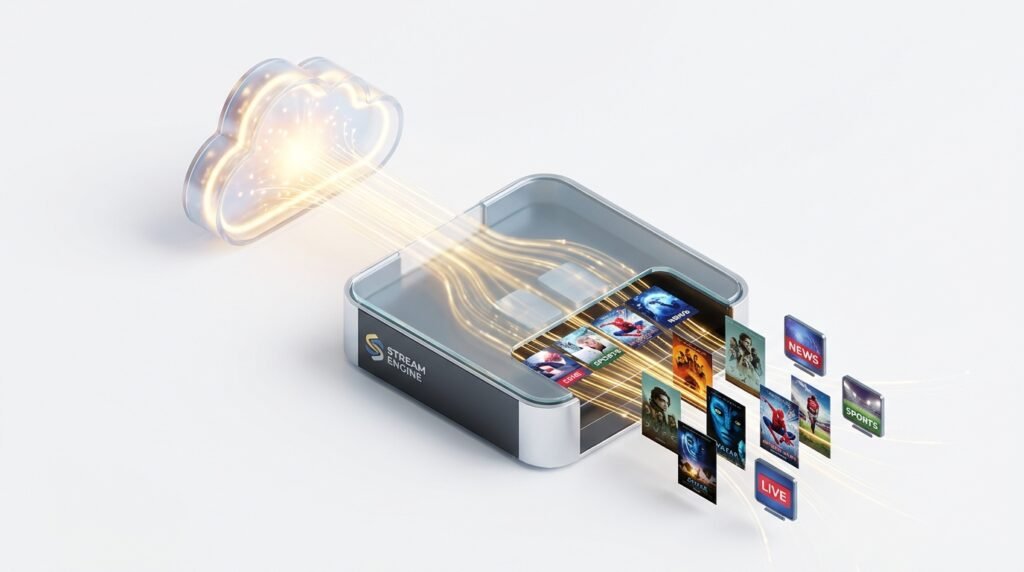
Before jumping into software recommendations, it is worth taking sixty seconds to understand the architecture. An IPTV app is not a channel source — it is a delivery engine. Think of it like a browser: the browser itself does not write the web pages you read; it simply renders them beautifully. In the same way, every IPTV app on the market — regardless of how polished or feature-rich — is an empty shell waiting to be connected to a live stream source.
That source comes from your IPTV subscription. The subscription is the backbone. It provides either an M3U playlist URL or Xtream Codes API credentials that the IPTV app reads, parses, and transforms into a watchable channel list complete with logos, Electronic Program Guide data, and video-on-demand libraries. Without a valid IPTV subscription, the most sophisticated app in the world sits idle.
This distinction matters enormously when troubleshooting. If your picture freezes, the culprit is almost never the app — it is either the IPTV provider server or your local network. Keeping this mental model clear saves hours of frustration.
The best iptv 2026 setups always rest on three pillars: a capable hardware device, a well-optimized IPTV app, and a rock-solid IPTV subscription from a reputable provider. Weaken any one of these legs and the whole experience wobbles.
Choosing Your Hardware Foundation
Hardware selection is the first major decision, and it shapes everything downstream. The most popular device category in 2026 remains the Amazon Firestick ecosystem, particularly the Firestick 4K Max, because of its AV1 decoder support, Wi-Fi 6E connectivity, and frankly accessible price point. Android TV boxes such as the NVIDIA Shield Pro remain the gold standard for raw power — if you are running a massive playlist with 30,000+ channels and want near-zero loading times, the Shield is still the king.
Apple Silicon Macs — the M2, M3, and now M4 chip families — have emerged as a serious IPTV platform in 2026 for users who want desktop-level viewing on a laptop. Native ARM optimization means 4K HDR streams play without a single fan spin. And for the living room crowd, Samsung Tizen OS and LG WebOS smart TVs now have dedicated IPTV app options that eliminate the need for any external hardware at all.
The right choice depends on your viewing habits. Are you primarily watching in the living room or at a desk? Do you want DVR recording capability? Is portability important? Answer those questions first, then match your hardware accordingly.
The Best IPTV Players Reviewed for 2026
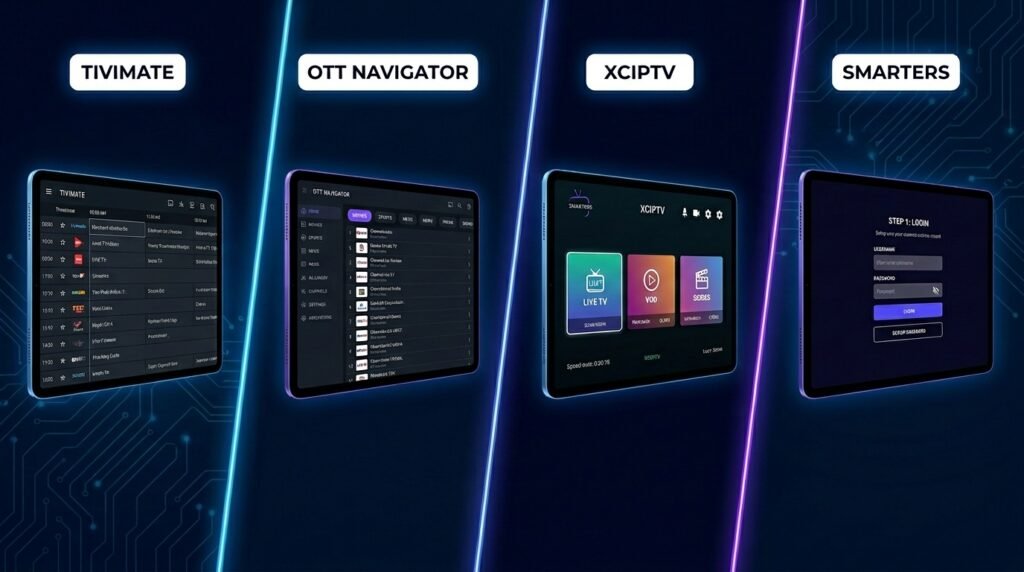
The Best IPTV Players have matured significantly over the past two years. Where 2024 was a transitional period with many apps struggling to handle 4K HDR streams gracefully, 2026 has delivered a clear hierarchy of serious software.
TiviMate Premium — The Benchmark for Android and Firestick
If you asked a hundred veteran cord-cutters to name one IPTV app without hesitation, the majority would say TiviMate. There is a reason for that consensus. TiviMate Premium offers the closest recreation of a traditional cable TV experience you will find in the streaming world — a smooth, grid-style EPG, instant channel switching, built-in DVR with scheduled recordings, Picture-in-Picture mode, and support for multiple concurrent playlists under a single interface.
The setup process is straightforward for anyone following the setup IPTV on Firestick installation guide. You input your M3U URL or Xtream Codes credentials from your IPTV subscription, and TiviMate pulls the entire channel list within minutes. The auto-frame-rate-switching feature is particularly valuable for cinephiles — it automatically adjusts your TV’s output to match the native frame rate of whatever you are watching, eliminating the judder that plagues 24fps movies played on 60Hz-defaulting devices.
The IPTV app requires a one-time or annual premium license to unlock DVR and multi-playlist features, but the investment is trivial relative to the experience it delivers.
OTT Navigator — Maximum Control for Power Users
OTT Navigator occupies a different niche than TiviMate. Where TiviMate prioritizes elegance and ease of use, OTT Navigator is built for users who want surgical-level control over how their streams are organized and delivered. The player supports highly granular channel filtering — by country, language, genre, resolution, and even custom user-defined tags. If you subscribe to a service that delivers 40,000 channels and you only care about 200 of them, OTT Navigator makes managing that roster genuinely pleasant.
It also handles buffering situations more intelligently than most competitors, with configurable cache sizes and the option to assign different external video players for different stream types. For anyone running a lower-powered Android device, this kind of optimization can be the difference between a smooth experience and a frustrating one.
XCIPTV — The Free IPTV App That Punches Above Its Weight
Not everyone wants to pay for a premium IPTV app, especially if they are still in the evaluation phase. XCIPTV is the recommendation for free-tier users who refuse to compromise on performance. The application includes a built-in connection speed test, adaptive bitrate switching, and native integration with external players like MX Player and VLC for hardware-accelerated decoding on lower-end Firestick generations. It is one of the Best IPTV Players in its price category — which is to say, free.
IPTV Smarters Pro — The Newcomer-Friendly Option
For users who are brand new to the IPTV world and slightly intimidated by the configuration depth of TiviMate or OTT Navigator, IPTV Smarters Pro is the natural entry point. Its interface is clean, its setup wizard walks you through connecting your IPTV subscription in under five minutes, and it supports both M3U and Xtream Codes input methods out of the box. It lacks some of the advanced features of premium alternatives, but for casual viewers, it delivers a completely satisfying experience.
Mac-Native IPTV in 2026
The macOS ecosystem was historically underserved by IPTV software. Most developers built for Android first, treating Mac support as an afterthought. That changed meaningfully in 2025 and has accelerated into 2026.
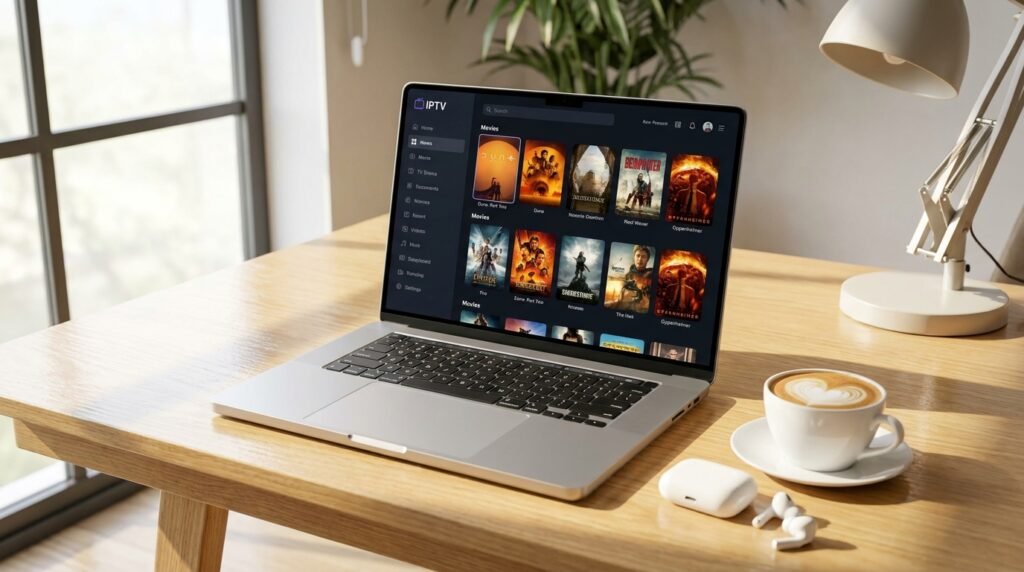
IPTV One is currently the strongest IPTV app built natively for Apple Silicon. It is not a port or a wrapper — it is written specifically for macOS using native frameworks, which means it runs lean, loads quickly, and handles 4K HDR content from your IPTV provider without breaking a sweat. The standout feature is real-time iCloud-based sync: your favorites, watch history, and playlist configuration sync automatically between your iPhone, iPad, and MacBook. If you pause a live channel on your phone and walk over to your Mac, IPTV One picks up almost exactly where you left off.
Infuse 8 has also evolved into a credible streaming player for Mac users, particularly for VOD-heavy IPTV subscription services with large movie and series libraries. Its video engine is arguably the best on the Apple platform for HDR tone mapping and Dolby Vision passthrough.
For Mac users still leaning on VLC as their primary IPTV solution — it is time to move on. VLC remains a superb general-purpose media player, but it lacks EPG support, proper channel organization, and the playlist management tools that define a real streaming client experience.
Smart TV Solutions — No Box Required
The convenience argument for using your Smart TV’s built-in app store is compelling. No extra remote, no HDMI port consumed, no external power adapter. In 2026, the IPTV app options for Samsung Tizen and LG WebOS have matured enough to make this a genuinely viable primary setup for many households.
Smart One and SIP TV both support MAC-address-based activation, which means you register your television’s unique identifier with your IPTV provider, upload your playlist, and the TV becomes your set-top box. EPG integration is solid, channel loading is fast, and the remote-control-optimized UI makes navigation feel natural from the couch.
For Apple TV users, IPTVX remains the top recommendation. It supports multi-screen layouts, has a clean 4K interface, and includes an offline mode for VOD content downloaded over Wi-Fi. It pairs exceptionally well with a high-tier IPTV subscription that includes a deep VOD catalog.

Security, VPNs, and Why Both Matter
This section gets skipped by a surprising number of people who consider themselves technically savvy — and that is a mistake. Running an IPTV app without a VPN in 2026 exposes you to two distinct risks.
The first is ISP throttling. Internet service providers in many countries have become increasingly aggressive about identifying IPTV traffic and artificially reducing its bandwidth priority. This is not hypothetical — it is a documented practice that directly causes buffering and stream drops even when your IPTV provider server is performing perfectly. A VPN encrypts your traffic, making it unreadable to your ISP and effectively eliminating throttling as a variable.
The second risk is data exposure. Reputable IPTV subscription services now use encrypted server tunnels, but the connection between your device and the VPN server adds an additional layer that protects your IP address and viewing behavior from third-party data collectors.
For best iptv 2026 performance through a VPN, choose a provider with servers optimized for streaming — NordVPN and Surfshark both have dedicated infrastructure for this purpose. Connect to a server geographically close to your IPTV provider server location to minimize latency impact.
Multi-factor authentication is another layer worth enabling on any IPTV subscription account that offers it. Credential theft is real, and losing access to your subscription mid-season finale is the kind of frustration that is entirely preventable.
Technical Optimization for IPTV Without Buffering
Achieving true IPTV without buffering requires attention to multiple variables simultaneously. Here is the configuration checklist that consistently delivers the smoothest results across every device category:
Network connection: Ethernet always outperforms Wi-Fi for 4K streams, full stop. If your device supports a wired connection and you are experiencing buffering, this is the single highest-impact change you can make. A stable 25–50 Mbps connection is the baseline requirement for 4K HDR content; if your household has multiple simultaneous streams, add 25 Mbps per additional stream.
Hardware acceleration: Every modern IPTV app supports hardware decoding, but it is not always enabled by default. Navigate to your app’s player settings and confirm that hardware acceleration is toggled on. This offloads video decoding from the CPU to the GPU or dedicated media processor, dramatically reducing the likelihood of frame drops during high-bitrate streams.
Buffer size: In apps like OTT Navigator and TiviMate, you can manually configure the pre-buffer size. A setting between 5,000 and 10,000 KB is a good starting range for most home connections. Going too high introduces noticeable channel-change lag; too low risks micro-stutters during network fluctuations.
Playlist refresh frequency: Set your IPTV app to refresh its M3U or Xtream Codes data at startup. IPTV subscription providers regularly update their server infrastructure, and stale playlist data can route you to deprecated stream URLs that buffer or refuse to connect.
DNS configuration: Switching your device’s DNS to a fast, privacy-respecting service like Cloudflare (1.1.1.1) or Google (8.8.8.8) can meaningfully reduce the time it takes for your IPTV app to resolve stream URLs, particularly for international channels.
Evaluating and Choosing an IPTV Subscription in 2026
The best iptv providers in 2026 are distinguished not by channel count but by infrastructure reliability. A catalog of 50,000 channels means nothing if the servers buckle under load during peak hours. The metrics that actually matter are:
Server uptime percentage: Look for providers that publish uptime statistics and ideally offer a real-time server status dashboard. Anything below 99.5% uptime is a red flag for a primary subscription.
Anti-freeze technology: The best providers now deploy adaptive bitrate infrastructure that automatically switches between stream quality tiers based on your connection speed in real time. This is what makes IPTV without buffering achievable even on congested networks.
EPG accuracy: A well-maintained Electronic Program Guide is what separates a premium IPTV experience from a basic one. It powers scheduling, DVR recording, and the familiar TV-guide browsing behavior that makes the service feel like television rather than a file folder of streams.
Trial availability: Any legitimate IPTV subscription provider worth considering offers a 24-hour trial period. Use it rigorously — test live sports, test premium movie channels, test simultaneous streams, and test at peak hours (Friday and Saturday evenings). Do not commit a subscription fee before you have verified compatibility with your specific IPTV app and device.
Simultaneous connection allowances: If your household has multiple viewers or you want to watch on both your TV and laptop simultaneously, confirm the connection policy upfront. Most quality providers offer two to five simultaneous connections at the mid-tier price point.
For a comprehensive breakdown of the current competitive landscape, the best iptv providers comparison covers the leading services with detailed performance analysis across all the metrics above.

Sports Streaming — The Ultimate IPTV Stress Test
Nothing exposes the weaknesses of an IPTV setup faster than live sports. High-motion content demands higher bitrates, major events generate massive simultaneous viewer spikes on provider servers, and the emotional stakes of a missed goal or dropped signal during overtime are considerably higher than a buffered Netflix documentary.
For the best iptv 2026 sports experience, you need a IPTV subscription that specifically invests in sports server capacity — dedicated high-bandwidth streams that are kept separate from general entertainment channels so that event traffic does not cannibalize each other.
The iptv for Sports World Cup guide covers this in granular detail, including which providers maintain dedicated sports infrastructure and how to configure your IPTV app buffer settings specifically for live sports to minimize the lag between broadcast and your screen. For any major international tournament, preparation matters — do not discover your service cannot handle peak load in the 87th minute of a knockout match.
Next-Generation Formats — 8K and What’s Coming
While 4K remains the practical ceiling for most household setups in 2026, the infrastructure for 8K streaming is beginning to emerge. If you are investing in a premium television now and want to future-proof your IPTV setup, the Bamo TV 8K platform represents one of the first serious attempts to deliver 8K content through an IPTV app framework with real-world reliability.
The bandwidth requirements are substantial — true 8K HDR streams demand 80–100 Mbps of stable throughput — but for households with gigabit fiber connections and 8K displays, the visual upgrade is genuinely remarkable. The streaming ecosystem is only beginning to adapt its hardware decoding pipelines for 8K, so compatibility checks are essential before committing.
Troubleshooting the Most Common IPTV Problems
Even a well-configured best iptv 2026 setup encounters issues occasionally. Here is a systematic approach to the most frequent problems:
Persistent buffering despite fast internet: First, eliminate VPN routing as a cause by temporarily disabling it and testing the stream directly. Then confirm that hardware acceleration is enabled in your IPTV app settings. If the issue persists, it is almost certainly a server-side problem with your IPTV provider — contact their support during peak hours to report the issue.
Channels missing or not loading: Refresh your playlist manually. Go to your player’s playlist management section, delete the cached data, and re-import from your IPTV subscription URL. Providers periodically rotate stream URLs and EPG data endpoints, and a stale import will produce dead links.
EPG showing wrong schedules or no data: This usually indicates a timezone mismatch between your device’s system clock and the EPG data feed. Set your device timezone explicitly rather than relying on automatic detection, and ensure your player’s EPG offset setting is configured to zero unless you have a deliberate reason to adjust it.
App crashing on high-bitrate streams: This points to a memory or hardware decoding limitation. If you are on an older Firestick or entry-level Android TV box, switching from hardware to software decoding sometimes resolves crashes — though it increases CPU load. The longer-term solution is a hardware upgrade to a device with a more capable media processor.
IPTV without buffering on one device but not another: This almost always comes down to network proximity. The device that streams cleanly is likely closer to your router or connected via Ethernet. The struggling device is further away or competing for Wi-Fi bandwidth with other household devices. A powerline network adapter or Wi-Fi 6 mesh node positioned closer to the struggling device will resolve this.
Building Your Complete 2026 IPTV Stack
Pulling everything together, here is what a complete, optimized best iptv 2026 configuration looks like in practice:
Device: Firestick 4K Max, NVIDIA Shield Pro, or a native Apple Silicon Mac depending on your viewing context. For living room use, the Shield remains unmatched. For portability, M-series MacBooks with IPTV One are exceptional.
IPTV App: TiviMate Premium for Android and Firestick users who want the most cable-like experience. IPTV One for Mac users. IPTVX for Apple TV. OTT Navigator for anyone who prioritizes control over aesthetics.
Subscription: Select a IPTV subscription from a provider with verified 99.5%+ uptime, anti-freeze infrastructure, accurate EPG data, and a minimum 24-hour trial period. Use the trial aggressively across device types and peak-hour scenarios before committing.
Security: A reliable VPN service with streaming-optimized servers, connected before launching your IPTV app. Enable MFA on your subscription account.
Network: Ethernet where possible. A minimum of 50 Mbps dedicated to IPTV for 4K single-stream households, more for multi-stream environments.
Maintenance habits: Set your IPTV app to auto-refresh its playlist on startup. Check for app updates monthly. Keep your VPN client updated. Review your IPTV subscription provider’s status page before major live events to confirm server health.
This stack, when properly configured, genuinely delivers IPTV without buffering as a consistent standard — not a lucky exception on a good network day, but the reliable baseline of every single viewing session.
Conclusion: The Future of Television Is Already Here
The best iptv 2026 landscape represents a genuine maturation of streaming technology. The days of fumbling with unstable apps, unreliable streams, and cryptic configuration screens are largely behind us for users who invest the time to build their setup correctly. The Best IPTV Players available today — TiviMate, OTT Navigator, IPTV One, XCIPTV, IPTV Smarters Pro — offer polished, professional interfaces that rival anything cable television has ever produced. Paired with a quality IPTV subscription from a provider that takes infrastructure seriously, the result is a home entertainment experience that is more flexible, more affordable, and more feature-rich than any traditional cable package ever was.
The entry point has never been lower. A capable IPTV app is often free or costs less than a single month of cable. A quality subscription at mid-tier pricing delivers more content than any household could realistically consume. The hardware — whether a Firestick, an Android box, or a smart TV you already own — is already in your living room.
The only question left is whether you are ready to stop paying for channels you never watch and start watching everything you actually want, on your terms, in the quality your screen deserves.