
If you have spent any time exploring modern streaming, you have likely heard the name IPTV Smarters mentioned in the same breath as words like “seamless,” “flexible,” and “all-in-one.” That reputation is earned. This platform has quietly become the go-to media player for cord-cutters, sports fans, and home entertainment enthusiasts who want more than what traditional cable or satellite television can offer. But with two distinct versions on the market — IPTV Smarters Pro and IPTV Smarters Lite — choosing the right one requires a clear understanding of what each brings to the table.
This guide covers everything: what the platform actually does, how Pro and Lite stack up side by side, which devices it runs on, how to install it, how to configure it, and what to watch out for from a security and legal standpoint. By the time you finish reading, you will know exactly which version fits your needs and how to get the most out of every feature.
Table of Contents
What Exactly Is IPTV Smarters?
Before diving into comparisons and installation steps, it is worth clarifying something that causes frequent confusion among new users. IPTV Smarters is a media player application — not an IPTV service provider. It does not sell you channels, movies, or subscription packages. Instead, it acts as a highly capable front-end interface that organizes and presents the content delivered by your chosen IPTV subscription service.
Think of it the way you would think of a sophisticated universal remote control or a media dashboard. You bring your own content source — whether that is an M3U playlist URL or an Xtream Codes API login — and IPTV Smarters organizes it into a clean, navigable interface with a full Electronic Program Guide (EPG), Video on Demand (VOD) libraries, series sections, and live TV channels. This distinction matters legally and practically, as we will discuss later.
The platform has earned a global following because it eliminates the fragmented experience of juggling multiple apps for live television, catch-up content, and on-demand movies. With IPTV Smarters, everything lives under one roof.
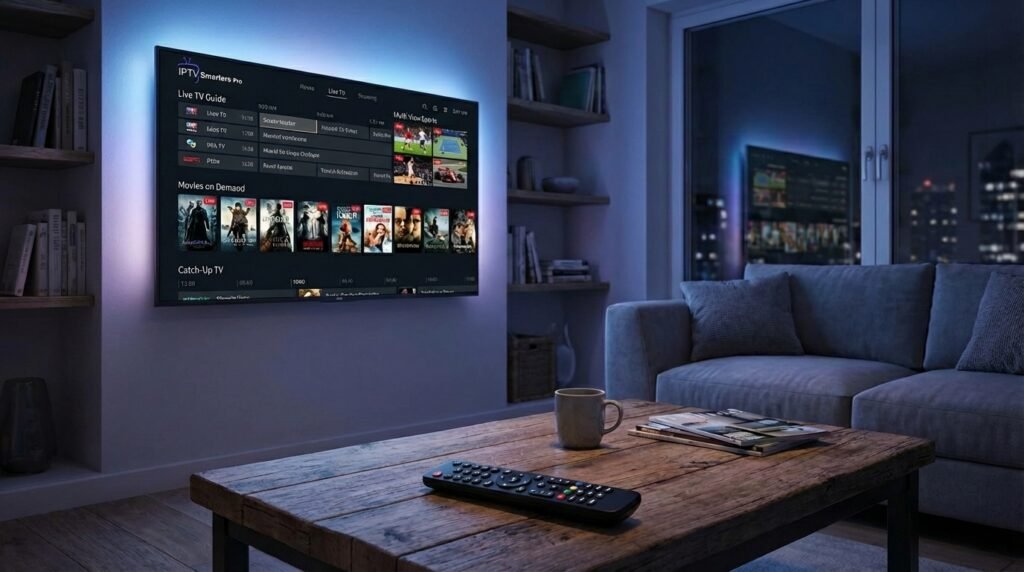
Core Features That Define the IPTV Smarters Experience
Understanding what IPTV Smarters does well is the first step toward getting the most out of it.
Live TV With Full EPG Integration
One of the strongest selling points of IPTV Smarters is how it handles live television. Channels are organized into categories — sports, news, entertainment, regional, international — making it straightforward to navigate even when you have access to thousands of streams. The EPG integration is what elevates this experience significantly. A properly configured Electronic Program Guide shows you what is currently playing on each channel and what is scheduled to air next, functioning similarly to the on-screen guides you find with traditional cable subscriptions.
For sports fans particularly, this is invaluable. You can quickly scan the guide to find upcoming matches rather than manually scrolling through hundreds of channels. Speaking of sports, if you are in the United Kingdom and passionate about football, check out this guide on how to watch Premier League on IPTV UK for a more detailed walkthrough tailored to your region.
Video on Demand and Series Libraries
Beyond live channels, IPTV Smarters handles on-demand content with impressive organization. Movies are displayed with cover art, descriptions, and runtime information. TV series are grouped by season and episode, making binge-watching a straightforward process. The quality and depth of this library depends entirely on your provider, but the IPTV Smarters interface presents it in a clean, navigable format regardless of catalogue size.
Catch-Up TV: Never Miss a Live Broadcast
Catch-up TV is one of those features that sounds minor until you realize how often you actually need it. The functionality works as a rewind mechanism for live television, allowing you to go back and watch broadcasts that aired over the past several days. Whether it was a news program you missed while traveling or a sports event that ran past your bedtime, IPTV Smarters makes retrieval simple — provided your IPTV provider supports this feature.
Multi-Screen Viewing for Sports Enthusiasts
Few features generate as much excitement among sports fans as multi-screen viewing. IPTV Smarters supports simultaneous playback of up to four streams on a single screen. Imagine tracking a football match, a tennis tournament, a motor racing event, and a basketball game all at once without switching between apps. For households where multiple people have different preferences, this feature alone justifies the upgrade to the Pro version.
Parental Controls Built Right In
Family-friendly streaming is a priority for many households. IPTV Smarters addresses this with PIN-protected content sections, allowing parents to restrict access to adult content categories. The implementation is straightforward: set a PIN, assign it to specific content categories, and those sections become inaccessible without the correct code. It is not perfect parental control software on its own, but it provides a meaningful layer of protection within the streaming environment.
IPTV Smarters Pro vs. Lite — A Detailed Comparison
This is where the decision gets real. Both versions of IPTV Smarters serve legitimate purposes, but they are built for very different types of users.
Account Management
The most fundamental operational difference between Pro and Lite lies in how many IPTV accounts each version can handle simultaneously. IPTV Smarters Pro supports multiple account profiles, meaning you can switch between different providers or separate subscription packages without logging in and out repeatedly. This is a significant advantage for households with more than one provider, or for users who maintain both a primary subscription and a backup.
IPTV Smarters Lite, by contrast, is typically designed around a single playlist or account. If you subscribe to one IPTV service and have no intention of managing multiple providers, Lite handles that scenario perfectly well. The limitation only becomes apparent when your needs grow.
For a broader look at what different services offer, the Best IPTV UK guide is worth consulting before committing to a subscription.
Interface Customization
IPTV Smarters Pro takes a noticeably different approach to the user interface compared to Lite. The Pro version offers theme options, adjustable EPG layouts, customizable home screen panels, and generally more control over the visual presentation of your content. For users who spend a significant amount of time inside the app, these customization options meaningfully improve the daily experience.
Lite keeps things functional and straightforward. The interface is clean and perfectly usable, but it prioritizes speed and accessibility over personalization. For users who simply want to press play and start watching, this stripped-back approach is entirely adequate.
Feature Availability: What Pro Unlocks
Several key features are gated behind the Pro version, and they represent genuine quality-of-life improvements rather than mere cosmetic additions.
Recording functionality — the ability to schedule and save live broadcasts — is a Pro-exclusive feature. This transforms IPTV Smarters from a passive viewing tool into something closer to a personal video recorder. Catch-up TV, while sometimes available in Lite depending on the version and device, is more reliably implemented and extensively supported in Pro.
External player integration is another significant distinction. Pro users can configure third-party media players like VLC or MX Player as the default playback engine within IPTV Smarters. This matters because some streams use codecs or container formats that the built-in player handles less gracefully than a dedicated media player. The flexibility to route playback through VLC or MX Player can resolve buffering issues and improve compatibility with unusual stream formats.
Pricing and Monetization Model
IPTV Smarters Lite is free to download and use, supported by occasional advertisements. For users on a tight budget or those who want to test the platform before committing financially, Lite provides a reasonable entry point.
Pro operates on either a one-time purchase model or an annual subscription, depending on the platform and the version. The cost unlocks an ad-free environment and the full suite of premium features described above. For most regular users, the investment pays for itself quickly in the form of a more polished, uninterrupted viewing experience.
Device Compatibility and System Requirements
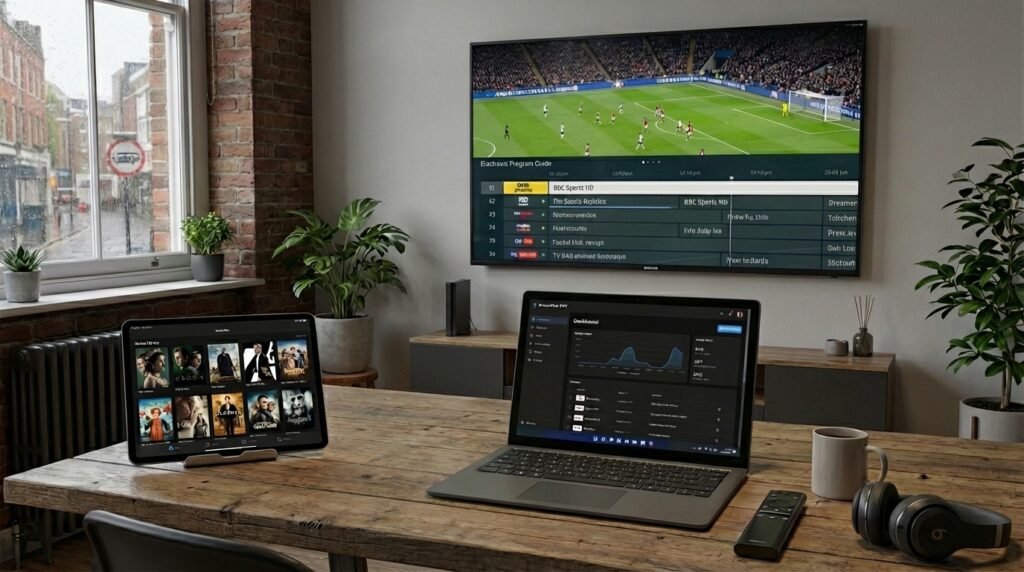
One of the strongest arguments for choosing IPTV Smarters over competing media players is its breadth of device support. It genuinely works across the full spectrum of consumer devices.
Android Ecosystem
Android users have the widest range of options. IPTV Smarters runs on Android smartphones, tablets, Android TV boxes, and Amazon Fire TV devices including the popular Firestick lineup. The application performs smoothly across most modern Android hardware, though for 4K HDR streaming, a more capable Android TV box with sufficient processing power is recommended.
iOS and Apple Ecosystem
iPhone and iPad users can find IPTV Smarters in the Apple App Store under the name “Smarters Player Lite.” Apple TV users should ensure they are running at least a 4th generation Apple TV with tvOS 13 or later for optimal performance. Apple’s ecosystem imposes tighter restrictions than Android, so the feature set may differ slightly from the Android version, but the core functionality remains intact.
Windows and macOS
Desktop users are well served by IPTV Smarters. On Windows 10 and Windows 11, installation options include the Microsoft Store, a direct download from the official developer website, or running the Android version through an emulator like BlueStacks. For 4K streaming on Windows, a minimum of 8GB of RAM with an SSD and a processor from Intel’s 6th generation or later ensures a smooth experience. 4GB RAM is the stated minimum, but users frequently report that the higher specification makes a noticeable difference.
Samsung and LG Smart TVs
Smart TV users running Samsung or LG hardware from 2017 onwards can typically download IPTV Smarters directly from the Samsung Smart Hub or LG Content Store. For older Samsung models where the app is unavailable through the store, sideloading via a USB drive formatted to FAT32 is a well-documented workaround that the community has refined thoroughly.
Step-by-Step Installation Guide
Installing IPTV Smarters on Firestick
The Firestick installation process requires a bit more effort than a standard app store download, but it is well within the reach of any user comfortable with basic device settings. For a complete, detailed walkthrough of this process, refer to this dedicated guide on how to setup IPTV on Firestick.
The general process involves enabling the “Apps from Unknown Sources” setting in your Firestick’s developer options, then using the Downloader application to retrieve the IPTV Smarters APK file. Common APK codes used by the community include 250931 and 6468112, though these can change as new versions are released. Once downloaded and installed, the app launches just like any native Firestick application.
Windows Installation
Windows users have three realistic installation paths. The Microsoft Store version offers the most streamlined installation experience with automatic updates handled through the store. Direct download from the official IPTV Smarters developer website gives you more control over which version you install. The BlueStacks emulator route is generally recommended only for advanced users who need Android-specific features unavailable in the Windows-native version.
Smart TV Installation
For Samsung Smart TVs, navigate to the Smart Hub, select Apps, and search for IPTV Smarters. LG users follow a similar process through the LG Content Store. When the app does not appear in the store — typically on older models — the USB sideloading method requires formatting a drive to FAT32, downloading the APK file on a computer, transferring it to the drive, and then initiating installation through the TV’s developer menu.
Apple Device Installation
Search for “Smarters Player Lite” or “IPTV Smarters Pro” in the Apple App Store. The installation process is identical to any other iOS or tvOS app. No jailbreaking is required, and the official versions available through Apple’s store are verified and safe to install.
Configuring IPTV Smarters for the First Time
After installation, configuration is the step that gets you from a blank application to a fully functional streaming environment.
Xtream Codes API — The Recommended Method
Most modern IPTV providers supply login credentials in the form of a username, password, and server URL. Within IPTV Smarters, select “Add User” and choose the Xtream Codes API option. Enter a name for the playlist — something descriptive like your provider’s name — then input your username, password, and server URL. The app will connect, authenticate, and automatically populate your channel list, VOD library, and series section.
This method is recommended because it keeps your content dynamically updated. New channels and content added by your provider appear automatically without requiring manual intervention.
M3U Playlist URL
If your provider supplies an M3U link rather than Xtream Codes credentials, the process is equally straightforward. Select the M3U URL option within IPTV Smarters, paste your full M3U link, give the playlist a name, and let the app import your content. You can also load a locally stored M3U file if you have downloaded one to your device.
EPG Configuration
A common point of confusion for new users is the EPG — or rather, the absence of it after initial setup. If your TV guide shows “No Information” against channels, you need to manually add an XMLTV URL. Your IPTV provider should supply this link. Navigate to the EPG settings within IPTV Smarters, enter the URL, save, and trigger a manual refresh. Guide data typically populates within a few minutes.
Troubleshooting Common Issues
Even a well-configured IPTV Smarters setup occasionally encounters problems. These are the most frequent issues and their solutions.
Stream Playback Errors
The “Unable to play stream” error message is frustrating but almost always resolvable. Start by checking your internet connection speed — live TV streaming requires a minimum of 10 Mbps for standard definition, 25 Mbps for HD, and considerably more for 4K. If your connection is adequate, try clearing the IPTV Smarters app cache through your device settings, then restart the application. Switching between the internal player and an external player like VLC or MX Player can also resolve codec-related playback failures.
Buffering and ISP Throttling
If streams buffer intermittently despite a theoretically adequate internet connection, your Internet Service Provider may be throttling IPTV traffic. This is a known practice among some ISPs, particularly during peak hours. A reliable VPN routes your IPTV Smarters traffic through an encrypted tunnel, bypassing ISP inspection and throttling. Choose a VPN provider with servers optimized for streaming and low latency.
EPG Not Loading
If the Electronic Program Guide fails to load or refresh, verify that the XMLTV URL your provider gave you is still active — providers occasionally update their EPG server addresses. Once confirmed correct, navigate to the EPG section in IPTV Smarters settings and trigger a forced refresh. If the issue persists, contact your provider directly, as the problem is likely on their infrastructure rather than within the application.
Security, Legality, and Fraud Awareness
This section is not optional reading. Understanding the legal and security landscape around IPTV Smarters protects you from both legal liability and financial fraud.
The Legal Status of IPTV Smarters
The IPTV Smarters application itself is entirely legal. It is a media player — no different in principle from VLC or Kodi. The legality of your streaming experience depends entirely on the source of your content. Legitimate providers who hold broadcasting licenses for the channels they distribute are legal to use. Providers who aggregate and redistribute licensed content without authorization are not.
Before committing to any IPTV subscription, research the provider. Look for transparent terms of service, a verifiable business presence, and clarity about what content rights they hold. The best IPTV providers operate transparently and can answer direct questions about their licensing arrangements.
Avoiding Fraudulent Websites
A significant and growing problem in the IPTV space is the proliferation of imposter websites that misuse the IPTV Smarters name to sell illegal subscriptions or distribute malware-laden fake versions of the app. The legitimate IPTV Smarters development team provides only the media player application — they do not sell content subscriptions of any kind.
If you encounter a website claiming to be the official IPTV Smarters portal and offering channel packages, treat it with extreme suspicion. Use only the official developer website or verified app stores — Apple App Store, Google Play Store, or Microsoft Store — to download the application.
Downloading Safely on Firestick and Android
Because Firestick and Android TV installations often require sideloading outside official stores, the risk of downloading a compromised APK file is real. Always cross-reference the APK source against the official IPTV Smarters developer website before downloading. The community forums around IPTV Smarters Pro — detailed in the dedicated IPTV Smarters Pro guide — are also useful for verifying current safe download codes and sources.
Final Thoughts: Which Version Is Right for You?
The choice between IPTV Smarters Pro and Lite ultimately comes down to how seriously you take your streaming setup.
If you are testing IPTV for the first time, managing a single subscription, and want to get started without any financial commitment, IPTV Smarters Lite is the right starting point. It is functional, stable, and capable of delivering a genuinely good streaming experience within its limitations.
If you are an established IPTV user managing multiple subscriptions, a sports enthusiast who benefits from multi-screen viewing, or someone who values a fully customized, ad-free interface with recording capabilities, IPTV Smarters Pro delivers that experience comprehensively. The cost is modest relative to what it unlocks.
What does not change between versions is the underlying quality of the platform. IPTV Smarters remains one of the most polished, widely compatible, and actively maintained media players in the IPTV space. Combined with a reliable provider from the best IPTV providers directory, it delivers a streaming experience that competes convincingly with traditional television — often at a fraction of the cost.
Set it up correctly once, configure your EPG, connect your subscription, and IPTV Smarters becomes the kind of tool you stop thinking about — because it simply works, consistently, across every device you own.