
The App Makes or Breaks Your IPTV Experience
Let’s be honest — most people hunting for the best IPTV apps UK spend the lion’s share of their time searching for a decent provider, sorting out subscriptions, and wrestling with M3U links. The app itself? Almost an afterthought. That’s a mistake, and quite a costly one at that.
Here’s the reality: even if you’re running a top-tier IPTV service — and we’ll be recommending IPTVStreamy throughout this guide as our go-to provider. If you haven’t secured a high-quality service yet, make sure to read our detailed breakdown of the Best IPTV UK providers before choosing your app. Buffering overlays, broken EPG data, an interface that looks like it was designed in 2009… it doesn’t matter how good your stream quality is if the front end is fighting you every step of the way.
Think about it this way. Sky Q didn’t win over millions of British households purely on the strength of its channel lineup. It was the feel of the thing — the snappy guide, the intuitive navigation, the way it just got out of your way and let you watch television. That’s precisely what the right IPTV app delivers, and why choosing correctly is every bit as important as the service running underneath it.
In this guide, we’ve tested seven of the most popular IPTV applications available on Amazon Firestick and Android TV in 2026. We’ve assessed them on real-world UK usage — catch-up reliability, EPG accuracy for British schedules, multi-room capability, and how well they pair with quality providers like IPTVStreamy. Whether you’re a seasoned cord-cutter or you’ve just received your first M3U playlist, this comparison will tell you exactly where to put your energy.
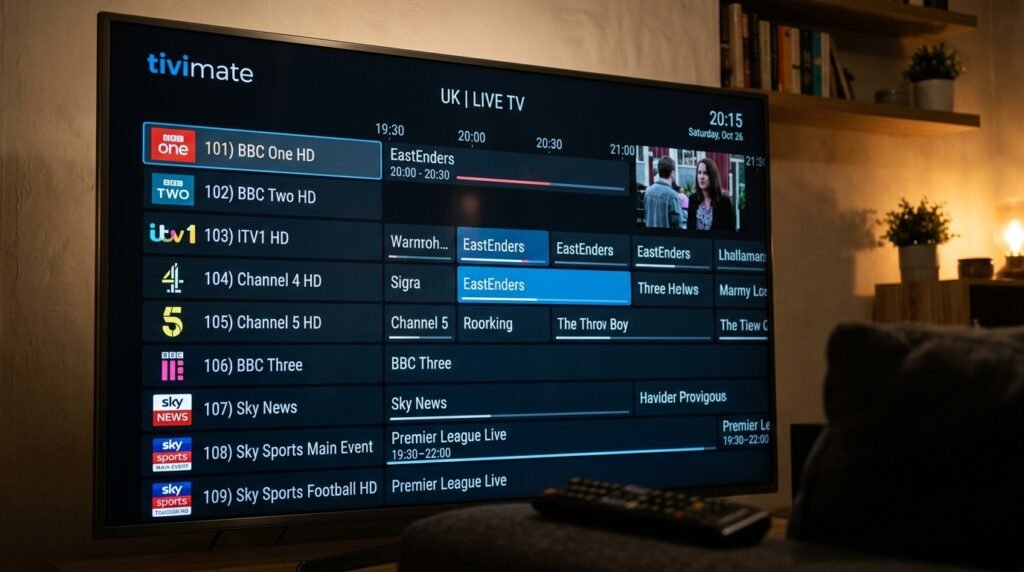
TiviMate: The Gold Standard for British IPTV Users
If you’ve spent any time in UK IPTV communities — Reddit threads, Discord servers, the odd Facebook group filled with blokes who refer to everything as “mate” — you’ll have noticed that TiviMate comes up again and again. There’s a reason for that, and it goes beyond simple brand loyalty.
TiviMate’s interface is, frankly, the closest thing to a Sky Q experience you’ll find in the IPTV world. The programme guide is laid out horizontally, channels scroll cleanly on the left-hand panel, and the whole thing has a polish that most competitors simply don’t bother with. For British users who’ve grown up with proper broadcast TV infrastructure — Freeview, Sky, Virgin — this familiarity matters enormously. There’s no learning curve to speak of. You load it up, add your IPTVStreamy playlist, and within five minutes you’re watching whatever you like with an interface that feels like it belongs on your telly.
The app is available free on the Amazon Appstore and Google Play, though the genuinely useful features sit behind a Premium subscription. At the time of writing, that’ll cost you around £4.99 per year — which, in the grand scheme of your IPTV setup, is essentially a rounding error. To pair this premium app with a world-class channel list, check our IPTVStreamy subscription plans to get started today.
TiviMate vs IPTV Smarters: Which Should UK Viewers Choose?
This is the comparison that comes up most frequently, and it’s worth settling properly rather than giving you a wishy-washy “it depends” non-answer.
TiviMate is for people who want a finished, refined product. The EPG (Electronic Programme Guide) loads fast, displays accurately when paired with a reliable provider like IPTVStreamy, and updates in the background without requiring you to sit through a loading screen every time you open the app. The interface is dark, sleek, and responsive — it handles large channel lists (we’re talking 10,000+ channels) without breaking a sweat.
IPTV Smarters Pro, on the other hand, has a broader feature set on paper and supports multiple connection types natively, including Xtream Codes API — which is the format most UK IPTV providers default to. It’s more configurable out of the box and suits users who want to add multiple playlists from different services simultaneously.
The honest verdict? For the average UK viewer after a clean, living-room-ready experience, TiviMate wins. For those who enjoy tinkering, running multiple subscriptions, or need granular control over their setup, IPTV Smarters earns its place.
Both applications perform significantly better when paired with a high-quality provider. Throughout our testing, IPTVStreamy consistently delivered the fastest EPG population times and the most reliable UK channel streams across both apps — which tells you as much about the importance of the underlying service as it does about the apps themselves.
Feature Breakdown: EPG, Multi-Screen, and Recording
Electronic Programme Guide (EPG)
The EPG is where good IPTV apps separate themselves from the rest…
This guide continues with all 7 apps ranked, recording feature comparisons, and a final verdict section.
Multi-Screen Viewing
One of TiviMate Premium’s standout features for British households is its multi-screen mode — the ability to watch up to four streams simultaneously in a split-screen layout. It’s brilliant for sports weekends when the Premier League, Championship, and Formula 1 are all running concurrently and you simply cannot choose. Setup is straightforward: long-press on a channel, select “Open in new screen,” and tile your viewing however you like.
It’s worth noting that this feature places real demands on your network. We’d recommend a minimum of 50Mbps for stable quad-screen viewing. IPTVStreamy’s servers handled this without dropping frames during our testing — something cheaper providers visibly struggled with.
Cloud and Local Recording
TiviMate Premium supports both scheduled and instant recording, saving directly to local storage — a USB drive plugged into your Firestick, or internal storage on Android TV boxes. It’s genuinely useful for recording overnight Premier League replays or saving a drama series when you’re away. The catch-up functionality, when your provider supports it, is also surfaced cleanly within the EPG — just scroll back through the guide and tap to watch.
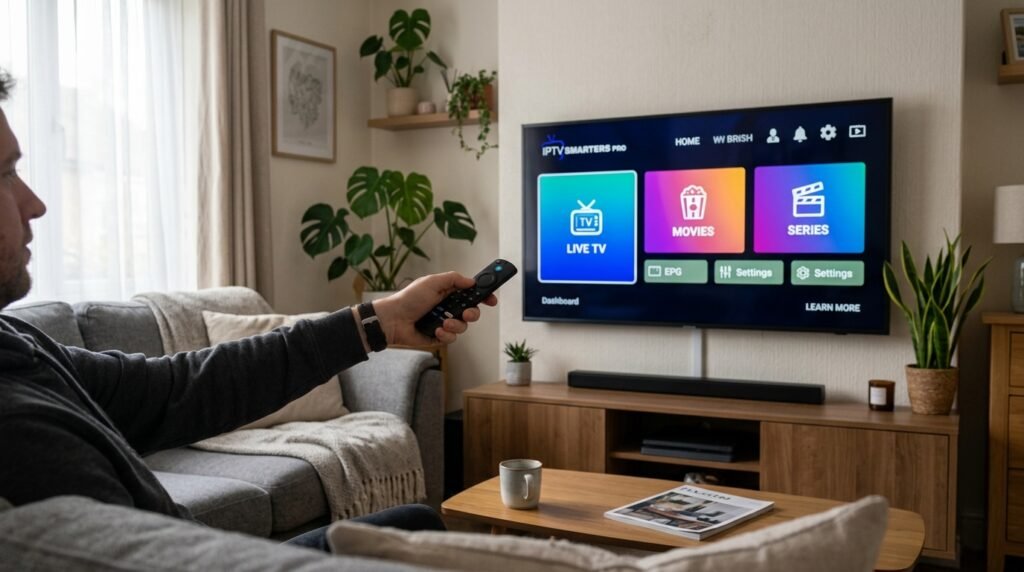
IPTV Smarters Pro: The Best Starting Point for UK Beginners
If TiviMate is the seasoned professional’s choice, IPTV Smarters Pro is where most British cord-cutters begin their journey — and for very good reason.
When you’re searching for the best IPTV player for Firestick UK, IPTV Smarters Pro almost always appears near the top of the results, and that visibility is well-earned. The app has been designed with accessibility front of mind. From the moment you load it, you’re greeted with a clean menu offering three connection methods: M3U URL, Xtream Codes API, or an External Player link. For anyone receiving login credentials from a provider, the Xtream Codes option is typically the one to use — and reputable services like IPTVStreamy make this process entirely painless, providing dedicated setup guides that walk you through every single step.
Installing IPTV Smarters on Your Firestick
Knowing how to install IPTV Smarters Firestick is one of the first practical skills any UK IPTV user picks up, and it’s simpler than most people expect. The app isn’t available directly on the Amazon Appstore in the UK by default, so the standard approach is sideloading via the Downloader app. Enable “Apps from Unknown Sources” in your Firestick developer settings, open Downloader, enter the IPTV Smarters APK URL, and you’re done. The whole process takes under four minutes. Again, IPTVStreamy provides a step-by-step visual installation guide for exactly this process For a deeper look at the technical side, check our visual guide on how to setup IPTV on Firestick for a full walkthrough. for users who are new to the ecosystem.
What Makes It Work for Beginners
IPTV Smarters Pro organises your content into clearly labelled sections — Live TV, Movies, Series, and Catch-Up — which mirrors how most British viewers already think about their viewing habits. There’s no configuration required to get these categories displaying correctly; they populate automatically from your provider’s playlist. The EPG pulls through reliably, parental controls are easy to configure, and the app supports multiple profiles under a single subscription — useful for households where different people have different viewing preferences.
It isn’t without limitations. The interface, while functional, lacks the visual refinement of TiviMate. On larger screens — 55 inches and above — it can feel slightly basic compared to the premium feel you get from its main rival. But for someone making their first foray into IPTV, it removes friction brilliantly, and that counts for a great deal.
XCIPTV: Sleek, Modern, and Criminally Underrated
XCIPTV doesn’t receive nearly the attention it deserves in UK IPTV circles, which is a genuine shame because it’s one of the most visually accomplished players available on Android TV and Firestick.
The interface takes clear design cues from modern streaming platforms — think a Netflix-style content rail layout, with featured content displayed prominently and categories browsable horizontally. For users who find the traditional grid-based EPG approach a bit dated, XCIPTV feels like a breath of fresh air. Live TV, VOD, and series content are all handled within a unified interface, and switching between them is fluid.
Performance-wise, XCIPTV is consistently solid. It supports Xtream Codes and M3U connections, loads EPG data quickly, and handles HD and 4K streams without the stuttering that plagues some lesser-known alternatives. Where it falls slightly short is in advanced features — there’s no native multi-screen mode, and recording functionality is absent. For pure, clean viewing of live UK channels and on-demand content through a service like IPTVStreamy, however, it’s an excellent choice.
OTT Navigator: The Power User’s Secret Weapon
OTT Navigator occupies a fascinating niche in the IPTV app landscape. It is, without question, the most customisable application in this entire roundup — and that cuts both ways.
On the positive side, OTT Navigator gives you granular control over almost every aspect of the viewing experience. Custom EPG sources, channel grouping, skin themes, playback buffer settings, aspect ratio controls — it’s all here, adjustable to a degree that no other app in this list comes close to matching. For enthusiasts who enjoy tailoring their setup precisely, it’s deeply satisfying.
The trade-off is complexity. OTT Navigator has a steeper learning curve than anything else on this list, and its default interface — before you’ve spent time configuring it — feels cluttered and unintuitive. It rewards patience, but it will frustrate anyone expecting a plug-and-play experience.
That said, once configured properly alongside a reliable provider, OTT Navigator is extraordinary. Pair it with IPTVStreamy — which, incidentally, includes OTT Navigator in its suite of supported app setup guides — and you have one of the most capable IPTV setups available on any streaming device.
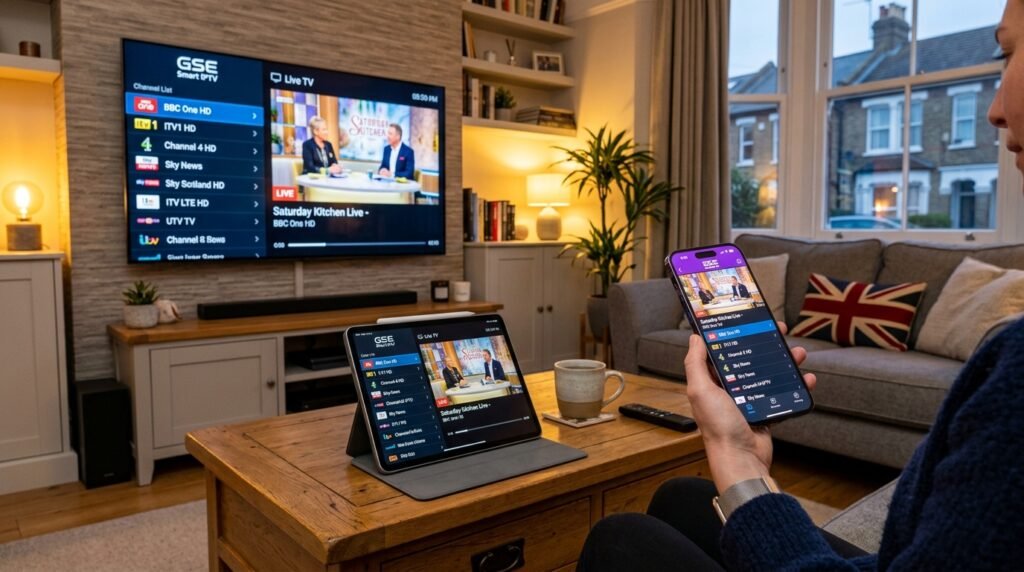
GSE Smart IPTV: The Best Choice for Multi-Device UK Households
There’s a particular type of British IPTV user that GSE Smart IPTV was practically built for: someone who starts watching the football on their Firestick in the living room, picks up their iPhone on the way to the kitchen, and expects the experience to carry across seamlessly. If that sounds like your household, GSE deserves serious consideration.
GSE Smart IPTV is one of the very few players in this roundup with genuinely polished native apps across both iOS and Android, meaning your M3U playlist or Xtream Codes login works consistently whether you’re on a Firestick, an iPad on the kitchen worktop, or an Android phone on the commute. For families juggling multiple devices across different operating systems — which, in 2026, describes the majority of British households — this cross-platform reliability is a genuine differentiator. IPTVStreamy is fully compatible with GSE across all platforms and includes dedicated setup guides for both the iOS and Android versions, making the initial configuration straightforward even if you’re setting up three devices simultaneously.
Where GSE Excels
The app’s EPG handling is quietly impressive. It supports multiple EPG sources simultaneously, allows you to manually assign programme guide data to specific channels, and refreshes reliably in the background. For UK users whose channel lists include a mix of mainstream British channels and international content — a common setup for South Asian, Arabic, or European expat communities across the UK — this flexible EPG management is invaluable.
Playlist management is another genuine strength. GSE allows you to store and switch between multiple M3U playlists with minimal friction, which suits users running more than one subscription or testing different providers.
The Honest Criticism
Here’s where we have to be straight with you: GSE Smart IPTV’s interface looks and feels dated. Compared to the sleek, dark, broadcast-quality aesthetic of TiviMate or the modern content-rail design of XCIPTV, GSE has the visual character of an app that hasn’t had a meaningful design overhaul in several years. The navigation is functional but uninspiring, and on a large 4K television it can feel slightly uncomfortable — like watching a mobile app stretched to fill a cinema screen.
For users who primarily watch on phones and tablets, this matters less. For living room viewing on a 55-inch screen, it’s a noticeable step down in polish. GSE is powerful, reliable, and brilliantly cross-platform — but if aesthetics are a priority for your main telly setup, TiviMate remains the stronger choice there.
Kodi (PVR IPTV Simple Client): The All-in-One Giant
Kodi occupies a unique position in the UK streaming landscape. It isn’t purely an IPTV app — it’s an entire open-source media centre platform that happens to support IPTV brilliantly through its PVR IPTV Simple Client add-on. For British users who want live television, an extensive local media library, catch-up content, and on-demand video all accessible from a single interface, nothing else on this list comes close to matching its scope.
The appeal is straightforward: rather than switching between an IPTV app for live channels and a separate application for your downloaded films and TV box sets, Kodi unifies everything under one roof. Add your IPTVStreamy M3U playlist through the PVR Simple Client, configure your EPG source, and within a few minutes you have a fully functional live TV setup sitting alongside whatever local content you’ve stored. IPTVStreamy’s compatibility with Kodi is well-established, and their setup documentation covers the PVR client configuration process in detail — which is helpful, because the initial setup is marginally more involved than simply downloading a dedicated IPTV app.
Why UK Users Love It
Kodi’s add-on ecosystem is vast, and its customisability is essentially limitless. Skins like Aeon Nox and Arctic Zephyr transform the interface into something genuinely cinematic. The EPG integration, once properly configured, is comprehensive. Scheduled recordings, series linking, and catch-up support all function reliably when paired with a quality provider.
For British cord-cutters who have accumulated years’ worth of digital media — ripped DVD collections, downloaded box sets, home videos — Kodi’s media library management is unmatched. It automatically pulls in artwork, episode descriptions, and cast information, presenting your personal collection with the same visual polish as a commercial streaming platform.
The Critical Caveat: Hardware Requirements
This is where we need to issue a firm warning. Kodi is resource-heavy, and on a first or second-generation Firestick — devices with 1GB of RAM and ageing processors — it ranges from sluggish to genuinely painful to use. Boot times are slow, the interface can stutter during navigation, and switching between live TV and the media library occasionally produces brief but irritating freezes.
If you’re running an original Firestick from 2017 or 2018, Kodi will frustrate you more than it rewards you. The minimum comfortable hardware for a smooth Kodi experience in 2026 is a Firestick 4K or, ideally, a dedicated Android TV box with 2GB of RAM or more. On appropriate hardware, it’s magnificent. On underpowered devices, it’s a lesson in patience.
Perfect Player: The Lightweight Champion
Not every IPTV setup needs to be complicated. Not every Firestick is a brand-new 4K Max. And not every British viewer wants to spend an evening configuring EPG sources, adjusting buffer settings, and browsing skin repositories. Some people simply want to enter their playlist details, see their channels, and watch television. For those users, Perfect Player is the answer.
Perfect Player is, by design, a stripped-back, no-nonsense IPTV application — and that restraint is precisely what makes it valuable. The interface is clean and minimal: a channel list on the left, programme information on the right, and an EPG that loads without fuss. There are no content rails, no featured thumbnails, no multi-screen modes. Just television, presented simply and reliably.
Why Older Hardware Users Should Pay Attention
Where Perfect Player genuinely earns its place in this roundup is on older, lower-powered devices. On a first or second-generation Firestick — the very hardware that makes Kodi groan — Perfect Player runs with remarkable smoothness. It has a small memory footprint, loads quickly, and doesn’t demand the processing overhead that more feature-rich applications require. If you’ve got an older device gathering dust and you’re wondering whether it’s worth using for IPTV, Perfect Player is your best chance of a genuinely usable experience.
For budget-conscious British users who picked up a cheap Android box or are repurposing older streaming hardware, this lightweight efficiency is the app’s single most important quality. IPTVStreamy works seamlessly with Perfect Player via both M3U and Xtream Codes connections, and their setup guide for the app is refreshingly brief — because the configuration process genuinely is that simple.
The Trade-Offs
Perfect Player’s simplicity is a feature, but it does come with genuine limitations. There’s no VOD or series management to speak of — it’s a live TV player, full stop. The UI, while clean, won’t win any design awards, and there’s limited scope for customisation beyond basic settings adjustments. Multi-screen viewing, recording, and advanced EPG management are all absent.
Think of Perfect Player as the reliable hatchback in a car park full of SUVs and sports cars. It won’t turn heads, it won’t do everything, but it’ll start first time on a cold morning when the others are making excuses. For straightforward, fuss-free live TV on modest hardware, it remains one of the most dependable options available to UK viewers in 2026.
2026 Comparison Table: Which App Is Right for You?
| App | Ease of Use | UI Quality | EPG Accuracy | Best For |
|---|---|---|---|---|
| TiviMate | ★★★★☆ | ★★★★★ | ★★★★★ | UK Sports, Daily TV |
| IPTV Smarters Pro | ★★★★★ | ★★★☆☆ | ★★★★☆ | Beginners, Families |
| XCIPTV | ★★★★☆ | ★★★★★ | ★★★★☆ | Movies, Box Sets |
| OTT Navigator | ★★☆☆☆ | ★★★★☆ | ★★★★★ | Power Users, Enthusiasts |
| GSE Smart IPTV | ★★★★☆ | ★★★☆☆ | ★★★☆☆ | Multi-device Users |
| Kodi (PVR) | ★★☆☆☆ | ★★★☆☆ | ★★★☆☆ | Tinkerers, All-in-one |
| Perfect Player | ★★★☆☆ | ★★★☆☆ | ★★★★☆ | Lightweight Devices |
One consistent thread running through our testing of all seven applications: performance quality is inseparable from provider quality. The apps listed above showed their best results — fastest EPG loading, most stable streams, cleanest catch-up integration — when connected to IPTVStreamy. It offers dedicated, regularly updated setup guides for every app in this table, which makes it the natural recommendation regardless of which application you ultimately choose.
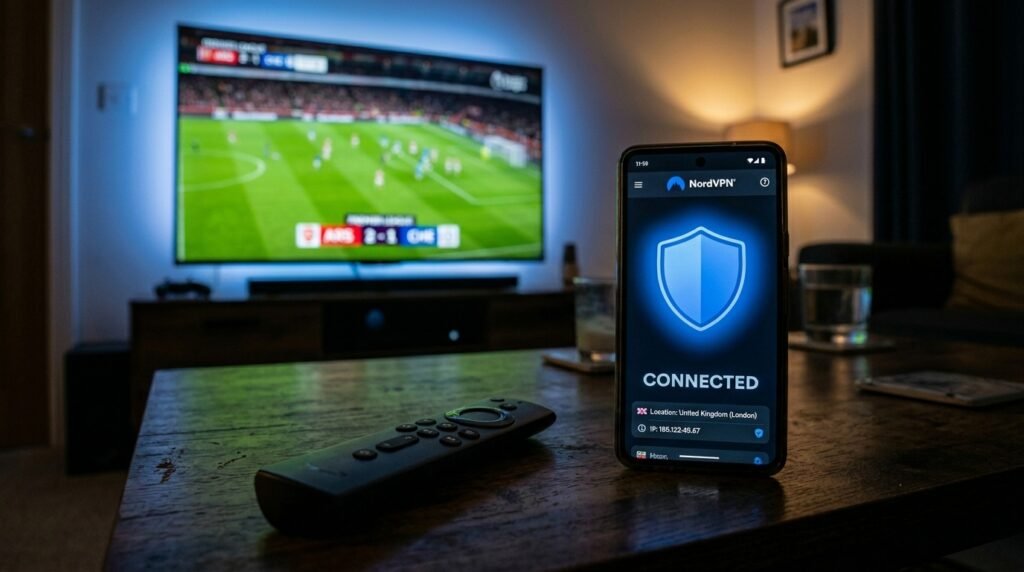
Do You Need a VPN With IPTV Apps in the UK?
The short answer is yes — and if you’re with Sky, BT, or Virgin Media, it’s less of a recommendation and more of a necessity.
The UK’s major ISPs are well-documented when it comes to throttling streaming traffic. Even on a 100Mbps connection, you can experience frustrating mid-stream buffering during peak hours — typically weekday evenings and weekend afternoons, which, inconveniently, is precisely when live sport matters most. A VPN routes your traffic through an encrypted tunnel, making it impossible for your ISP to identify and selectively throttle IPTV streams.
For Firestick users, ExpressVPN and NordVPN both offer dedicated Fire TV apps and run smoothly in the background without meaningfully impacting stream quality. Connect to a UK server to preserve EPG accuracy and catch-up availability, then load your IPTV app as normal. The difference on throttled connections is night and day. IPTVStreamy’s support documentation covers VPN configuration specifically for UK users — another reason it remains our recommended provider throughout this guide.
Optimisation Tips: Speeding Up Older Firestick Devices
Not everyone is running a Firestick 4K Max. If you’re working with a first or second-generation device, a few targeted tweaks will make a significant difference.
Clear the cache regularly. Navigate to Settings → Applications → Manage Installed Applications, select your IPTV app, and clear the cache every couple of weeks. Accumulated data slows load times noticeably on older hardware.
Force-stop background apps. Firestick devices have limited RAM, and background applications quietly consume it. Before launching your IPTV app, force-stop anything running in the background — Silk Browser is a particularly greedy offender.
Lower your default stream quality. Most apps, including TiviMate and IPTV Smarters, allow you to set a maximum stream resolution. Dropping from 1080p to 720p on older hardware produces a smoother, buffer-free experience that, on a modest screen, you’ll barely notice visually.
Use a wired connection where possible. A cheap ethernet adapter for your Firestick costs under a tenner and eliminates Wi-Fi instability entirely — the single most effective upgrade you can make to any IPTV setup.
Frequently Asked Questions
Is TiviMate free? TiviMate is free to download and usable in its basic form, but the features that make it genuinely excellent — multi-screen viewing, recording, and multiple playlist support — require the Premium subscription, currently priced at around £4.99 per year. It’s exceptional value and effectively essential if you’re using it as your primary app.
Which app is best for 4K sports streaming? For 4K content, TiviMate and XCIPTV both handle high-bitrate streams cleanly, provided your hardware and network can support them. When it comes to Sky Sports streaming apps that replicate a broadcast-quality experience, TiviMate’s combination of EPG accuracy, buffer controls, and interface polish makes it the strongest performer — particularly when paired with IPTVStreamy’s 4K-enabled channel packages.
Can I use these apps on my Samsung Smart TV? Most Samsung Smart TVs run Tizen OS rather than Android TV, which means sideloading APKs is either restricted or impossible depending on your model year. Your best route is an Amazon Firestick or a dedicated Android TV box plugged into your Samsung — this gives you full access to every app in this guide without any compatibility headaches.
Final Verdict: The Best IPTV Apps UK in 2026
After extensive testing, the verdict is clear. The best IPTV apps UK viewers should prioritise in 2026 are TiviMate for experienced users who want a refined, Sky Q-rivalling experience, and IPTV Smarters Pro for those just getting started. XCIPTV earns a strong recommendation for anyone who prioritises visual design, while OTT Navigator remains the enthusiast’s playground.
But here’s the conclusion that matters most: no app on this list will reach its potential without a quality provider underneath it. Every benchmark in this guide — EPG speed, stream stability, catch-up reliability, 4K performance — returned its best results when connected to IPTVStreamy. The combination of a well-chosen app and a dependable service is what separates a genuinely premium cord-cutting setup from a frustrating one.
If you’re ready to experience what a properly configured IPTV setup actually feels like, head to IPTVStreamy, select your subscription, and use their step-by-step guides to get your preferred app configured in minutes. Your Sky subscription bill will start looking very difficult to justify.